- Captioning
- JoyCaption
- Florence-2
- Qwen2.5-VL
- Gemini
- Flux
- Dataset prep
Best LoRA Captioner? Start with JoyCaption
For Flux and SDXL character LoRAs, start with JoyCaption Beta One. Florence-2 is fastest on low VRAM, Qwen2.5-VL follows prompts, Gemini is the easy API.
Which auto-captioner should you use for a LoRA dataset?
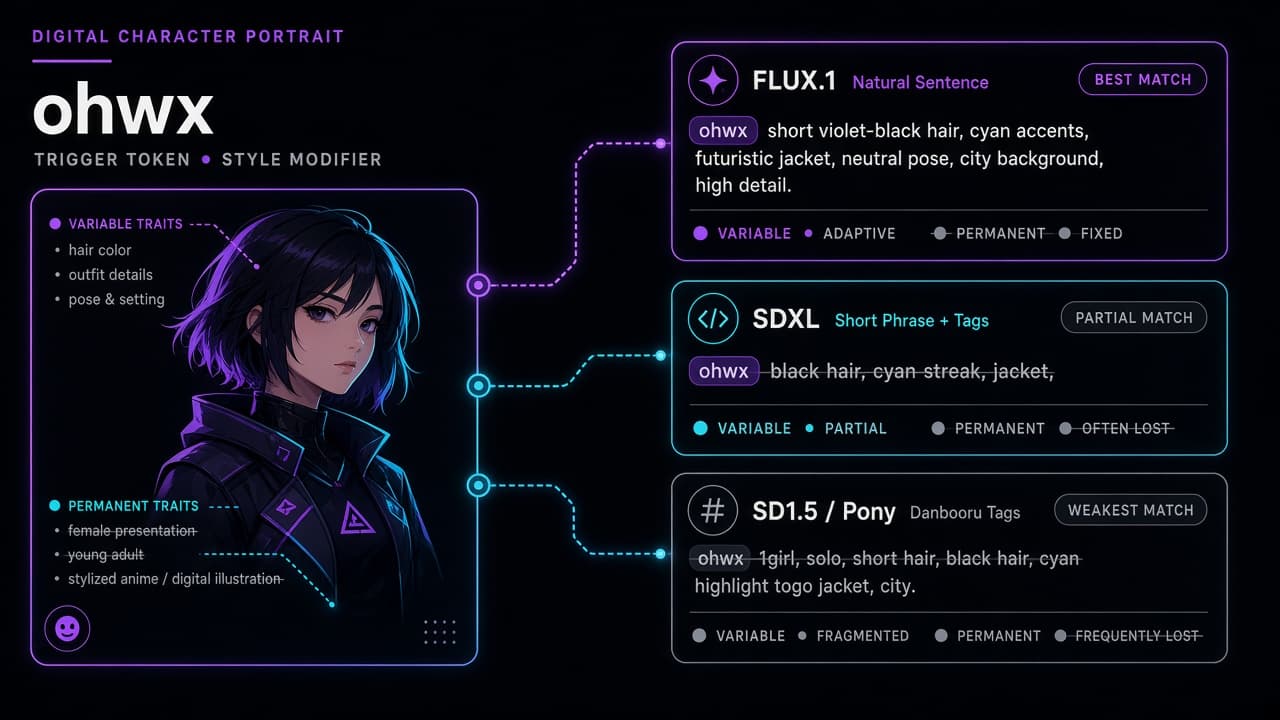
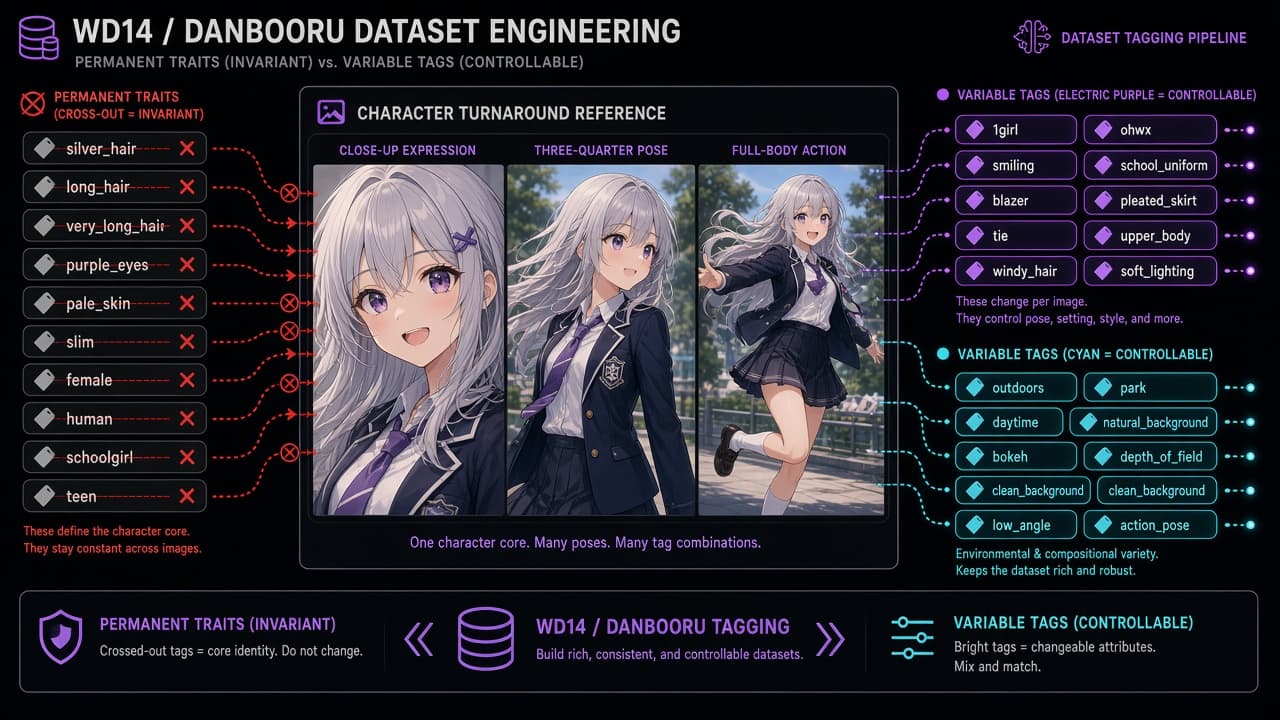
Auto-captioning saves hours, but the model you pick decides how much cleanup you do afterwards. Flux.1 and SDXL with natural-language text encoders reward full-sentence captions, while Pony and Illustrious checkpoints still expect Danbooru-style tags (covered in our anime WD14 tagging guide).
This guide compares the four captioners people ask about most in 2026 and focuses on what matters for training, not chatbot benchmarks: caption style, instruction following, hallucination behaviour, VRAM, and how easy it is to batch a folder of 20 to 50 images. For the rules about what to write in a caption once you have one, read LoRA trigger words and captions first.
Short version
JoyCaption vs Florence-2 vs Qwen2.5-VL vs Gemini at a glance
The table summarises published model cards and community reports. VRAM figures are approximate for unquantised local inference; 4-bit or 8-bit quantisation lowers them at some cost to accuracy.
| Model | Runs where | Approx. VRAM | Caption style | Best for | Main weakness |
|---|---|---|---|---|---|
| JoyCaption Beta One (Llama 3.1 8B + SigLIP) | Local, vLLM, HF Space | About 17 GB in bf16 | Descriptive, straightforward, SD-prompt and Booru modes | Flux/SDXL character and style LoRAs, uncensored datasets | Occasional glitches (author reports 1.5 to 3 percent), left/right and multi-subject confusion |
| Florence-2 large (0.77B) | Local, ComfyUI nodes, CPU possible | Under 4 GB | Fixed tasks: caption, detailed, more detailed | Fast first pass, low-end GPUs, simple objects and products | Cannot follow custom instructions; captions are generic and short |
| Qwen2.5-VL 7B Instruct | Local, vLLM, Ollama-style runtimes | About 16 to 18 GB in bf16 | Whatever format you prompt for | Strict templates, JSON output, mixed tags plus sentences | Slower; may still drift from instructions on long batches |
| Gemini 2.5 Flash (API) | Google AI Studio / Vertex AI | None locally | Prompted natural language | Large batches without a GPU, multilingual datasets | Paid per token, safety filters refuse some content, images leave your machine |
JoyCaption Beta One: the default for Flux character LoRAs
JoyCaption was built specifically to caption images for training diffusion models. Beta One was trained on about 2.4 million samples, added a Straightforward mode that sits between verbose descriptive captions and terse prompt-style ones, stabilised the Booru tag mode, and supports tag augmentation so you can pass a list of tags it must mention.
In the author's own blind scoring against human captions, earlier JoyCaption versions already matched GPT-4o on detail, though with more variance. That matches what trainers report: rich, accurate descriptions of clothing, lighting, camera angle and background, which is exactly what a Flux LoRA needs so those details do not get absorbed into the trigger word.
- Use Straightforward or Descriptive (Casual) mode, medium length, for Flux.1-dev.
- Add an extra instruction such as: do not describe the person's face, hair colour or ethnicity; refer to them as ohwx.
- Expect to fix pose and left/right mistakes by hand on roughly one image in five.
Florence-2: fastest and lightest, but you get what it gives you
Microsoft's Florence-2 is tiny (0.23B base, 0.77B large) and runs comfortably on 4 GB GPUs or even CPU, which makes it the go-to in many ComfyUI and Kohya GUI captioning nodes. You choose a task token such as the more detailed caption task rather than writing an instruction.
The trade-off is control. You cannot tell Florence-2 to skip identity traits or insert a trigger word, so every caption needs a scripted find-and-replace pass. It works well for product and object LoRAs (see our product LoRA from one photo guide) and as a quick baseline, but its captions tend to be generic for people and styles.
Qwen2.5-VL: best instruction following for custom formats
Qwen2.5-VL is a general vision-language model in 3B, 7B and 72B sizes. The 7B Instruct model is the sweet spot on a 24 GB card and is the most obedient of the local options when you need a fixed template, for example: trigger word, shot type, outfit, background, lighting, in that order.
It is slower per image than Florence-2 and more literal than JoyCaption, and it can fall back to a generic paragraph partway through a long batch. Re-send the full instruction with every image instead of relying on chat history, and keep temperature low (around 0.2 to 0.4) for consistent captions.
System: You caption images for LoRA training.
User: Write one sentence, max 40 words. Start with "ohwx woman".
Describe only: shot type, pose, clothing, background, lighting.
Never describe face shape, eye colour, hair colour, skin tone or age.
Gemini API: no GPU, big batches, but mind privacy and filters
If you do not have a local GPU, Gemini 2.5 Flash through Google AI Studio or Vertex AI captions hundreds of images in minutes and follows instructions well. It is also the strongest choice for multilingual datasets.
Two caveats: your images are sent to Google, and safety filters will refuse some images that JoyCaption handles. For client work or private faces, prefer a local model. If you are building a character dataset from a single reference (see how to create a LoRA dataset from one image), LoRA Dataset Studio's own captioning step in the dashboard produces Flux-ready captions with the trigger word inserted, so you can skip this setup entirely for generated datasets.
A captioning workflow that works with any of these models
- 01
Decide tags or sentences
Use natural-language sentences for Flux.1, SD3.5 and SDXL; use Danbooru tags for Pony and Illustrious. - 02
Write one instruction
Tell the model to describe pose, outfit, background and lighting, and to never describe the identity traits you want the LoRA to learn. - 03
Batch caption into .txt files
Save one caption per image with the same filename, as Kohya and AI-Toolkit expect (see our folder structure guide and aspect ratio bucketing and resolution guide). - 04
Insert the trigger word
Prepend your rare token, such as ohwx, to every caption with a script if the model did not do it. - 05
Review every caption
Fix hallucinated objects, wrong left/right, and any leaked identity words before training. - 06
Check results at mid-training checkpoints
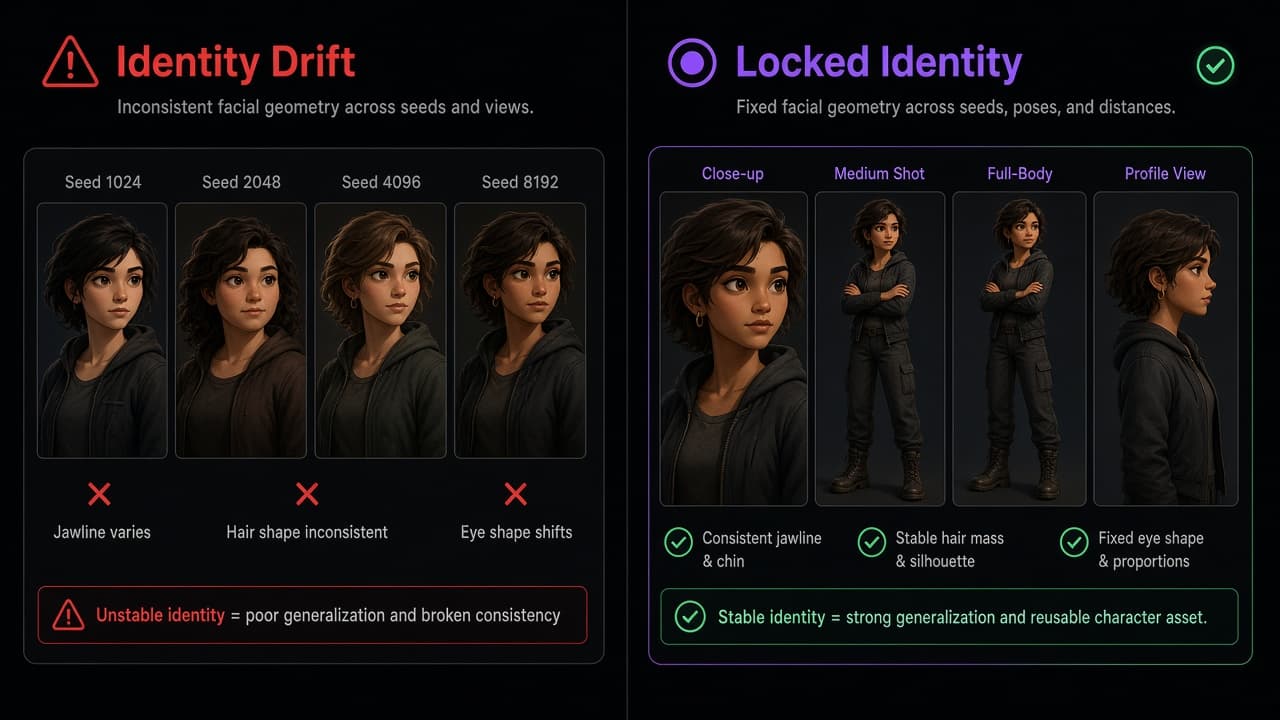
If outfits or backgrounds stick to the trigger, your captions under-described them. See identity drift fixes and overfitting signs.
Frequently asked questions
Is JoyCaption better than Florence-2 for LoRA captions?
For people, characters and styles, yes. JoyCaption writes longer, more specific captions and accepts instructions, while Florence-2 only offers fixed caption tasks. Florence-2 is still useful on small GPUs or as a fast first pass for simple objects.
How much VRAM does JoyCaption need?
About 17 GB in bf16, so a 24 GB card is comfortable. Quantised 8-bit or 4-bit builds and the free Hugging Face Space make it usable on smaller GPUs.
Should captions describe the character's face for a Flux LoRA?
No. Leave out the traits you want the LoRA to learn, such as face shape, eye colour and hair colour, and describe everything that should stay changeable, like clothing, pose and background.
Can I use Gemini or ChatGPT to caption LoRA datasets?
Yes. Hosted models caption accurately and follow instructions well, but images leave your machine, usage is billed, and safety filters refuse some content. Use a local model for private or sensitive images.
Do Pony and Illustrious LoRAs need natural-language captions?
Usually not. Those checkpoints were trained on Danbooru tags, so WD14-style tagging or JoyCaption's Booru tag mode fits them better than long sentences.
What is the best system prompt for LoRA auto-captioning?
Start every caption with your trigger word (such as ohwx woman), keep it to one sentence under 40 words, and instruct the vision model to describe only variable attributes—shot type, pose, clothing, background, and lighting—while never describing permanent identity traits like face shape, eye color, hair color, skin tone, or age.