- Resolution
- Bucketing
- Kohya
- AI-Toolkit
- Flux
- SDXL
- Dataset prep
832x1216 Aspect Ratio and LoRA Bucketing
Do not crop LoRA images to a square. Keep 832x1216 and other native ratios and let Kohya or AI-Toolkit bucket them. Resolutions for SD1.5, SDXL and Flux.
What Is Aspect Ratio Bucketing (and Why Not Just Crop to Square)?
Aspect ratio bucketing is a batching trick that lets a diffusion trainer use images of different shapes without forcing them all into one square. Instead of center-cropping every photo to 512x512 or 1024x1024, the trainer defines a set of buckets (for example 832x1216 portrait, 1024x1024 square and 1216x832 landscape) that all hold roughly the same number of pixels. Each image is resized into the bucket whose shape is closest to its own, and every batch is drawn from a single bucket so tensor sizes match.
The technique was popularized by NovelAI, who released their implementation under an MIT license after noticing that square center crops produced characters without heads or feet and captions that no longer matched the image (a crown tag on a picture whose crown had been cropped away). Kohya sd-scripts, Ostris AI-Toolkit, OneTrainer and SimpleTuner all ship a version of it today.
For a character LoRA this matters more than it sounds. Full-body portrait shots are usually 2:3 or 3:4. Crop them to square and the model sees thighs-to-forehead framing over and over, which is one of the quiet causes of the cut-off-feet and cropped-head outputs people blame on undertraining. If you are still deciding how many photos you need, read How Many Images to Train a LoRA first, then come back to shape and resolution.
Short answer
How Kohya Calculates Buckets: The 64-Pixel Step Math
In Kohya sd-scripts the bucket list is generated from four settings: resolution (the target area), min_bucket_reso, max_bucket_reso and bucket_reso_steps. The default step is 64 pixels, the CLI default range is 256 to 1024, and both min and max must be divisible by the step. The function walks widths from the minimum to the maximum in 64-pixel increments and, for each width, picks the tallest height that keeps the area at or below resolution squared.
The detail almost everyone misses: with resolution 1024 and the default max_bucket_reso of 1024, no side can exceed 1024. A 2:3 portrait therefore lands in a 704x1024 bucket (about 0.72 megapixels) instead of the 832x1216 shape SDXL and Flux were trained on. Raising max_bucket_reso to 1536 or 2048 unlocks the full-area portrait and landscape buckets.
| Setting | Total buckets | Square | 3:4-ish portrait | 2:3-ish portrait | 9:16-ish portrait |
|---|---|---|---|---|---|
| max_bucket_reso = 1024 (CLI default) | 25 | 1024x1024 | 768x1024 | 704x1024 | 576x1024 |
| max_bucket_reso = 1536 | 29 | 1024x1024 | 896x1152 | 832x1216 | 768x1344 |
| max_bucket_reso = 2048 | 41 | 1024x1024 | 896x1152 | 832x1216 | 768x1344 |
| resolution 512, max 1024 (SD1.5) | 17 | 512x512 | 448x576 | 384x640 | 384x640 |
# Kohya make_bucket_resolutions (library/model_util.py), simplified
max_area = resolution * resolution          # 1024 * 1024 = 1,048,576 px
width = min_bucket_reso                     # 256
while width <= max_bucket_reso:
    height = min(max_bucket_reso, (max_area // width) // 64 * 64)
    if height >= min_bucket_reso:
        buckets.add((width, height)); buckets.add((height, width))
    width += 64                              # bucket_reso_steps
# each image goes to the bucket whose aspect ratio is closest to its own
512 vs 768 vs 1024px: Which Training Resolution for SD1.5, SDXL and Flux
Train at, or near, the resolution the base model was pre-trained on. SD1.5 was trained at 512x512, SD2.x at 768x768, and SDXL at roughly one megapixel across multiple aspect ratios (the SDXL paper lists buckets such as 1024x1024, 1152x896, 1216x832 and 1344x768). Black Forest Labs states that FLUX.1 models support output between 0.1 and 2.0 megapixels, which is why Flux trainers commonly mix 512, 768 and 1024 buckets.
Pixel count grows with the square of the side length: a 1024x1024 image has four times the pixels of a 512x512 image. For Flux that is concrete, because the VAE downsamples by 8 and the transformer packs 2x2 latent patches, so a 512px image becomes 1,024 image tokens while a 1024px image becomes 4,096. Higher resolution captures finer skin texture, jewelry and text, but costs VRAM and step time. For the full model trade-off see Flux vs SDXL LoRA training.
| Base model | Native resolution | Recommended LoRA resolution | Bucket range (min to max) | Min source image size | When to go lower |
|---|---|---|---|---|---|
| SD 1.5 | 512x512 | 512 (768 for detail-heavy subjects) | 256 to 1024 | 512px short side | Rarely; 512 is already cheap |
| SD 2.x (768-v) | 768x768 | 768 | 384 to 1280 | 768px short side | Legacy only |
| SDXL / Pony / Illustrious | ~1MP multi-aspect | 1024 | 512 or 640 to 1536 or 2048 | 1024px short side ideal | 768 on 8 to 10GB cards, expect softer detail |
| FLUX.1 dev | 0.1 to 2.0MP | 1024 or mixed [512, 768, 1024] | 256 to 1536 or 2048 | 1024px short side ideal | 512 only for quick tests on 12GB cards |
Does training at 512 make 1024 outputs worse?
Recommended Kohya sd-scripts Bucketing Settings (TOML)
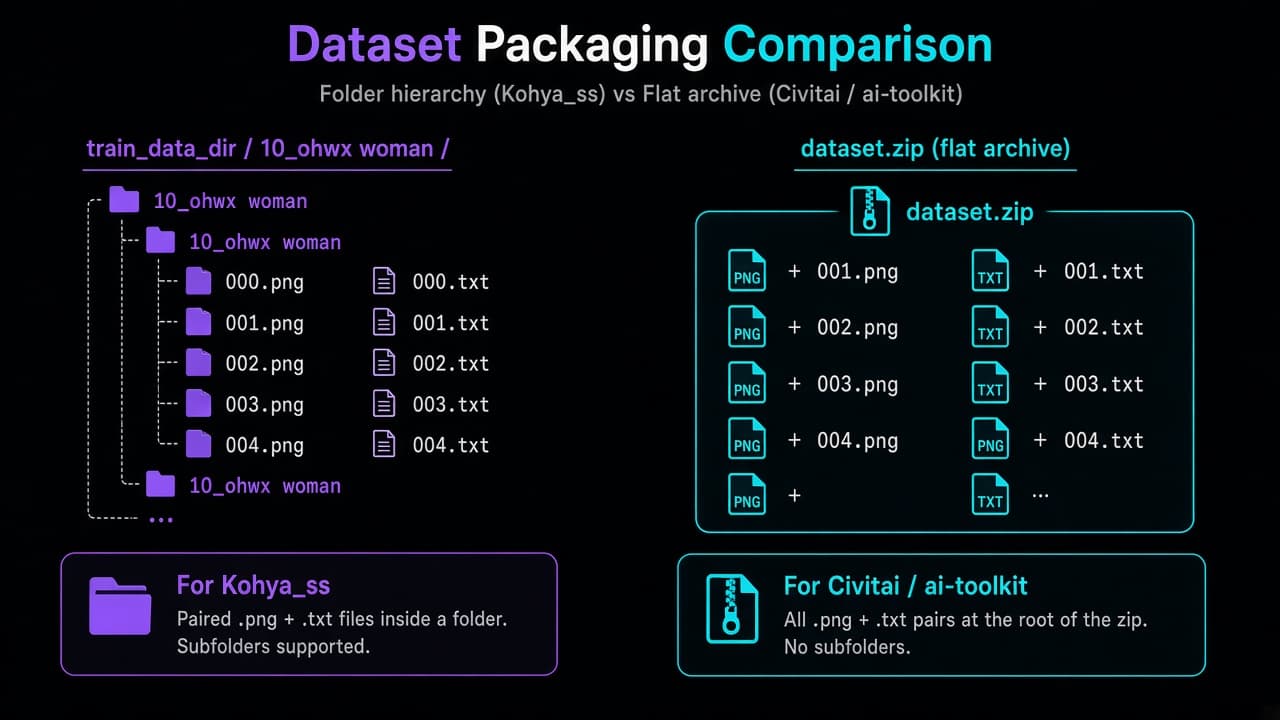
These dataset-config values work for SDXL and Flux character LoRAs in Kohya sd-scripts and the kohya_ss GUI. For SD1.5, change resolution to 512 and max_bucket_reso to 1024. The folder name follows the repeats_trigger class convention covered in Kohya folder names and Civitai zip layout.
- enable_bucket = true: turns on multi-aspect training. Without it every image is resized and cropped to the single resolution.
- bucket_reso_steps = 64: the bucket grid. The SDXL docs in sd-scripts note you can use 32, but values below 32 will not work for SDXL.
- max_bucket_reso = 1536 or 2048: lets portrait and landscape images keep the full one-megapixel area at resolution 1024.
- bucket_no_upscale = true: small images get a bucket at their own size instead of being upscaled, which avoids training on blurry upscales.
- skip_image_resolution: newer sd-scripts builds can skip images whose area is below a threshold, handy for multi-resolution datasets that share one folder.
[general]
enable_bucket = true
bucket_reso_steps = 64       # SDXL can use 32; 64 is the default
min_bucket_reso = 256
max_bucket_reso = 1536       # raise above 1024 so 832x1216-style buckets exist
bucket_no_upscale = true     # do not blow up small images
caption_extension = ".txt"

[[datasets]]
resolution = 1024            # SDXL / Flux; use 512 for SD1.5
batch_size = 1

  [[datasets.subsets]]
  image_dir = "/data/train/10_ohwx woman"
  num_repeats = 10
Ostris AI-Toolkit Multi-Resolution Config for Flux
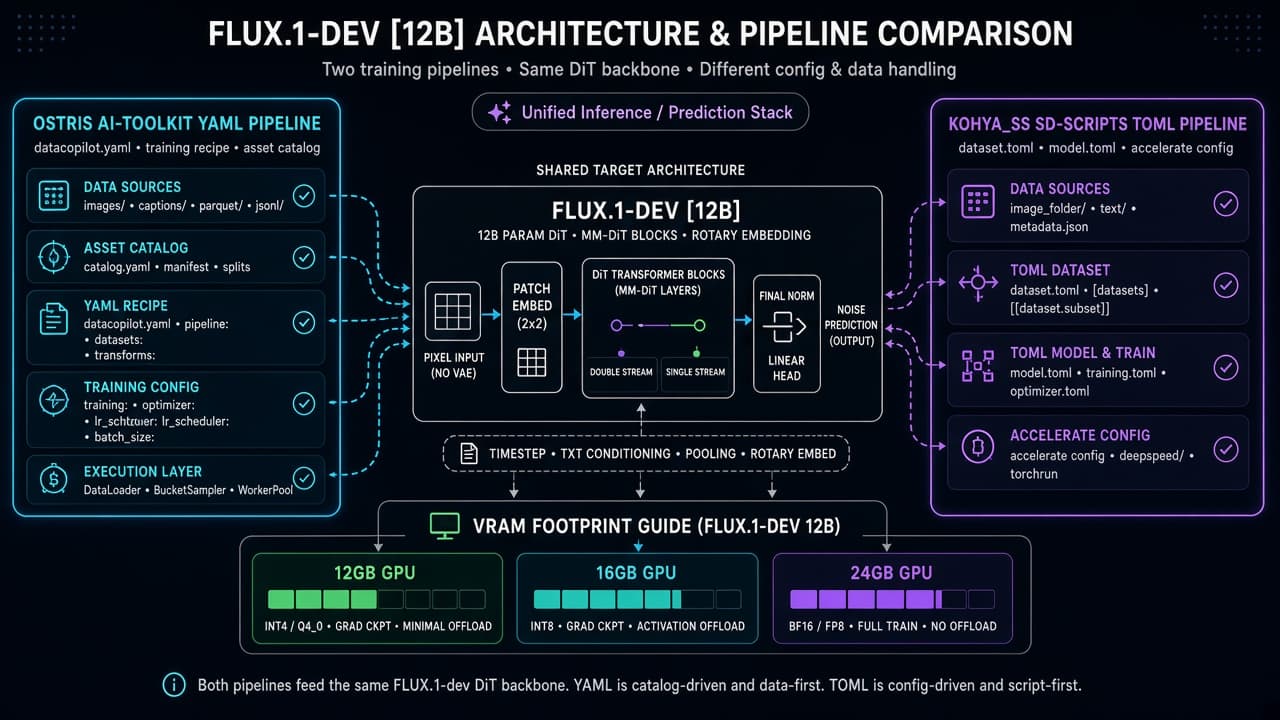
Ostris AI-Toolkit handles bucketing automatically: images are resized and bucketed into the resolutions listed under each dataset, and there is no separate enable flag. Its official Flux example config sets resolution to [512, 768, 1024] with the comment that Flux enjoys multiple resolutions. On a 24GB card keep all three; on 12 to 16GB, dropping 1024 is the usual first cut, at some cost to fine detail.
If you are choosing between the two trainers, our Ostris AI-Toolkit vs Kohya_ss comparison covers configs and VRAM in depth. Resolution behaviour is one of the few places where they differ by default: Kohya trains one resolution per dataset block, while AI-Toolkit trains every listed resolution from the same folder.
datasets:
  - folder_path: "/data/train/ohwx_woman"
    caption_ext: "txt"
    caption_dropout_rate: 0.05
    cache_latents_to_disk: true
    resolution: [ 512, 768, 1024 ]   # multi-resolution buckets for Flux
How to Prepare Mixed Portrait, Landscape and Square Images
- 01
Keep the original aspect ratio
Export portrait, landscape and square images as they are. Only crop to remove other people, text overlays, watermarks or large empty borders. - 02
Check the short side
Aim for a short side of at least 1024px for SDXL and Flux (512px for SD1.5). Images below that are either upscaled (blurry) or, with bucket_no_upscale, trained at a smaller bucket. - 03
Balance shapes, not just poses
A typical character set mixes 2:3 full-body shots, 1:1 or 4:5 head-and-shoulder shots and a few 3:2 environment shots. A dataset that is 90 percent close-up squares will struggle with full-body prompts. - 04
Avoid single-image buckets at batch size above 1
Every batch comes from one bucket, so a shape that only one image uses forces a small or repeated batch. Kohya prints the image count per bucket at startup; nudge outliers toward common ratios. - 05
Caption what is in frame
Because bucketing keeps the whole image, captions should describe the full framing (full body, waist up, wide shot). See LoRA trigger words and captions. - 06
Generate and auto-size the dataset
If you are building a character set from a single reference (see how to create a LoRA dataset from one image) or a product or object LoRA from one photo, LoRA Dataset Studio produces consistent multi-angle images at training-ready resolutions you can drop straight into these configs.
Common Bucketing and Resolution Mistakes (and Fixes)
If outputs still look off after fixing resolution, the problem is probably steps or learning rate rather than framing. Use the checkpoint-grid method in LoRA overfitting vs undertraining, and for Flux-specific dataset rules see the FLUX.1 LoRA dataset requirements guide.
| Symptom | Likely cause | Fix |
|---|---|---|
| Generated people missing heads or feet | Images center-cropped to square before training | Re-export uncropped and enable bucketing |
| Soft, waxy faces at 1024 | Trained only at 512 or on upscaled low-res sources | Train at 1024 (or mixed) with native high-res sources |
| Portraits come out squashed or oddly framed | max_bucket_reso left at 1024 so portraits used 704x1024 | Raise max_bucket_reso to 1536 or 2048 |
| Startup error about values not being divisible | min_bucket_reso, max_bucket_reso or bucket_reso_steps not on the required grid | Use multiples of 64 (or 32 for SDXL) |
| Out-of-memory only on some steps | Large landscape or portrait buckets at batch size above 1 | Lower batch size, enable gradient checkpointing or cap max_bucket_reso |
| Repeated or tiled details | Training far above native resolution | Stay near 1MP for SDXL and Flux |
Frequently asked questions
Do I need to crop images to square for LoRA training?
No. Kohya sd-scripts, Ostris AI-Toolkit, OneTrainer and SimpleTuner all support aspect ratio bucketing, which resizes portrait, landscape and square images into buckets of similar area. Cropping to square cuts off heads and feet and teaches the model bad framing. Only crop to remove distractions.
Should I train my LoRA at 512 or 1024?
Match the base model. Use 512 for SD1.5, 1024 for SDXL, Pony and Illustrious, and 1024 or a mixed 512, 768 and 1024 list for Flux. Drop to 512 or 768 only when VRAM forces you to, and expect slightly softer fine detail.
What does bucket_reso_steps 64 mean in Kohya?
It is the grid size for bucket dimensions. Every bucket width and height is a multiple of 64 pixels, and min_bucket_reso and max_bucket_reso must also be divisible by it. The sd-scripts SDXL docs allow 32 for SDXL; smaller values will not work.
What max_bucket_reso should I use for SDXL or Flux?
Use 1536 or 2048 with resolution 1024. The CLI default of 1024 caps every side at 1024, so a 2:3 portrait trains at 704x1024 instead of the 832x1216 shape these models natively generate.
What does bucket_no_upscale do?
It stops Kohya from upscaling images smaller than the target resolution. Each small image gets its own bucket at roughly its native size instead, which avoids training on blurry upscales but means that image contributes less detail.
How big should my source images be?
Ideally the short side is at least the training resolution: 512px for SD1.5 and 1024px for SDXL and Flux. Larger sources are fine because the trainer downsizes them; smaller ones lose detail.
How does Ostris AI-Toolkit handle aspect ratio bucketing for Flux?
Ostris AI-Toolkit buckets portrait, landscape, and square images automatically without a separate enable_bucket flag. Whenever you pass resolution: [512, 768, 1024] under the dataset config, AI-Toolkit resizes and buckets every folder image across all three target pixel areas during latent caching.
Sources and further reading
- kohya-ss/sd-scripts: Dataset config README (enable_bucket, min/max_bucket_reso, bucket_reso_steps, bucket_no_upscale)
- kohya-ss/sd-scripts: make_bucket_resolutions in library/model_util.py
- kohya-ss/sd-scripts: SDXL training notes (bucket_reso_steps 32)
- ostris/ai-toolkit: train_lora_flux_24gb.yaml example config
- NovelAI: Aspect Ratio Bucketing reference implementation (MIT)
- Podell et al., SDXL: Improving Latent Diffusion Models for High-Resolution Image Synthesis (arXiv 2307.01952)
- Black Forest Labs: FLUX.1 announcement (0.1 to 2.0 megapixel support)