- LoRA dataset
- Character LoRA
- Dataset example
- Shot list
- Reference sheet
- Captions
- Flux
- SDXL
Character LoRA Dataset Example: A Worked 20-Image Shot List
A worked 20-image character LoRA dataset example: the exact shot list, framing mix, how to split a reference sheet, and sample captions for each image.
What a Good Character LoRA Dataset Looks Like
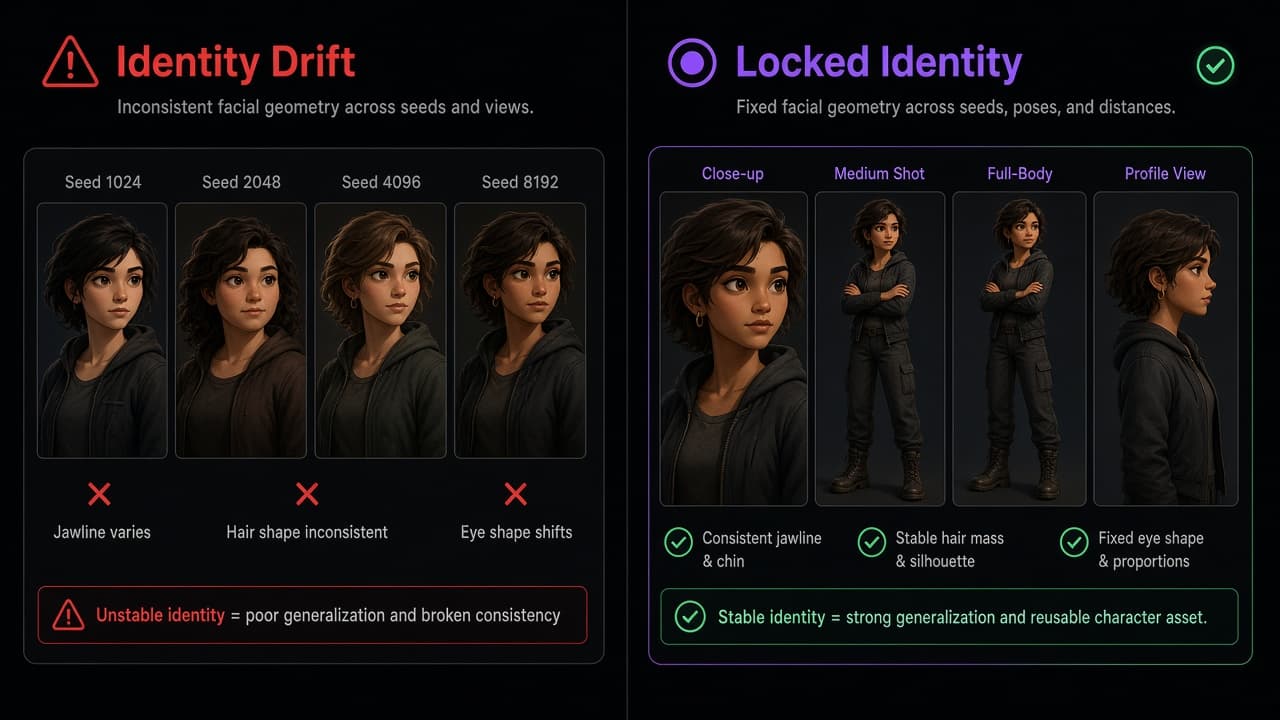
Most guides tell you how many images to use. This one shows you which images, shot by shot. The goal of a character dataset is simple: the identity stays the same in every image, and almost everything else changes. Face shape, eye color, hair and signature marks repeat; angle, framing, expression, outfit, lighting and background vary.
If every image shares the same pose or backdrop, the LoRA learns that pose or backdrop as part of the character. If the face changes between images, it learns an average face. A worked shot list prevents both problems before you spend any GPU time.
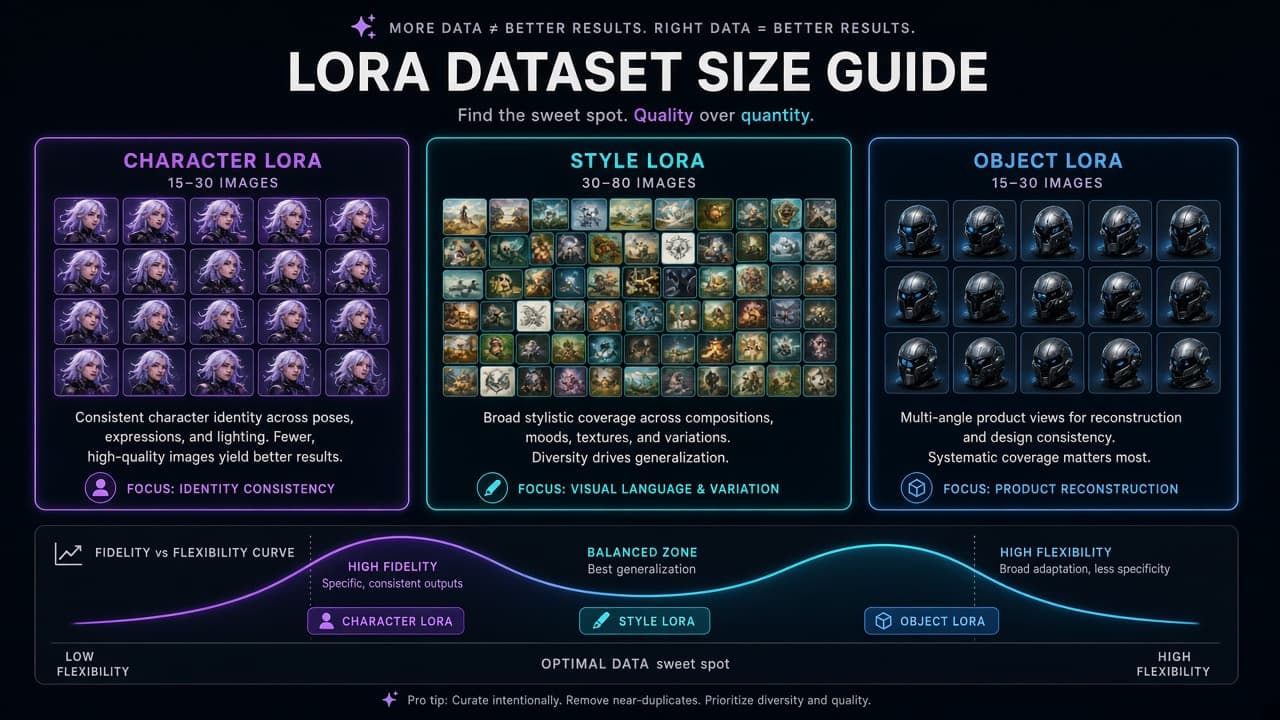
For the reasoning behind the count itself, see how many images you need to train a LoRA. This article assumes about 20 images, which is a common and practical size for a single character on Flux, SDXL, Pony, Illustrious or SD1.5.
The Worked 20-Image Shot List
Use this table as a checklist. Each row is one image. Close-ups teach the face, bust and half-body shots connect the face to the body and clothing, and full-body shots teach proportions. Backgrounds and lighting change across the whole set so none of them sticks to the trigger word.
| # | Framing | Angle | Expression or pose | Variation to add |
|---|---|---|---|---|
| 1 | Face close-up | Front | Neutral | Plain light background, soft light |
| 2 | Face close-up | Three-quarter left | Slight smile | Warm indoor light |
| 3 | Face close-up | Three-quarter right | Serious | Cool outdoor light |
| 4 | Face close-up | Profile | Neutral | Dark background, rim light |
| 5 | Face close-up | Slightly from above | Laughing | Daylight |
| 6 | Face close-up | Slightly from below | Surprised | Evening light |
| 7 | Bust | Front | Smiling | Outfit A, street background |
| 8 | Bust | Three-quarter | Thinking, hand near chin | Outfit B, cafe |
| 9 | Bust | Profile | Looking away | Outfit A, window light |
| 10 | Bust | Front | Eyes closed, happy | Outfit C, park |
| 11 | Bust | Back three-quarter | Looking over shoulder | Outfit B, night city |
| 12 | Half-body | Front | Hands on hips | Outfit A, studio |
| 13 | Half-body | Three-quarter | Arms crossed | Outfit C, office |
| 14 | Half-body | Side | Holding an object | Outfit B, kitchen |
| 15 | Half-body | Front | Sitting | Outfit D, sofa |
| 16 | Half-body | Three-quarter | Waving | Outfit A, beach |
| 17 | Full body | Front | Standing | Outfit A, plain background |
| 18 | Full body | Side | Walking | Outfit B, sidewalk |
| 19 | Full body | Back | Standing, looking back | Outfit C, forest |
| 20 | Full body | Three-quarter | Dynamic pose | Outfit D, sunset |
Fixed outfit or not?
How to Split a Multi-View Reference Sheet into Separate Images
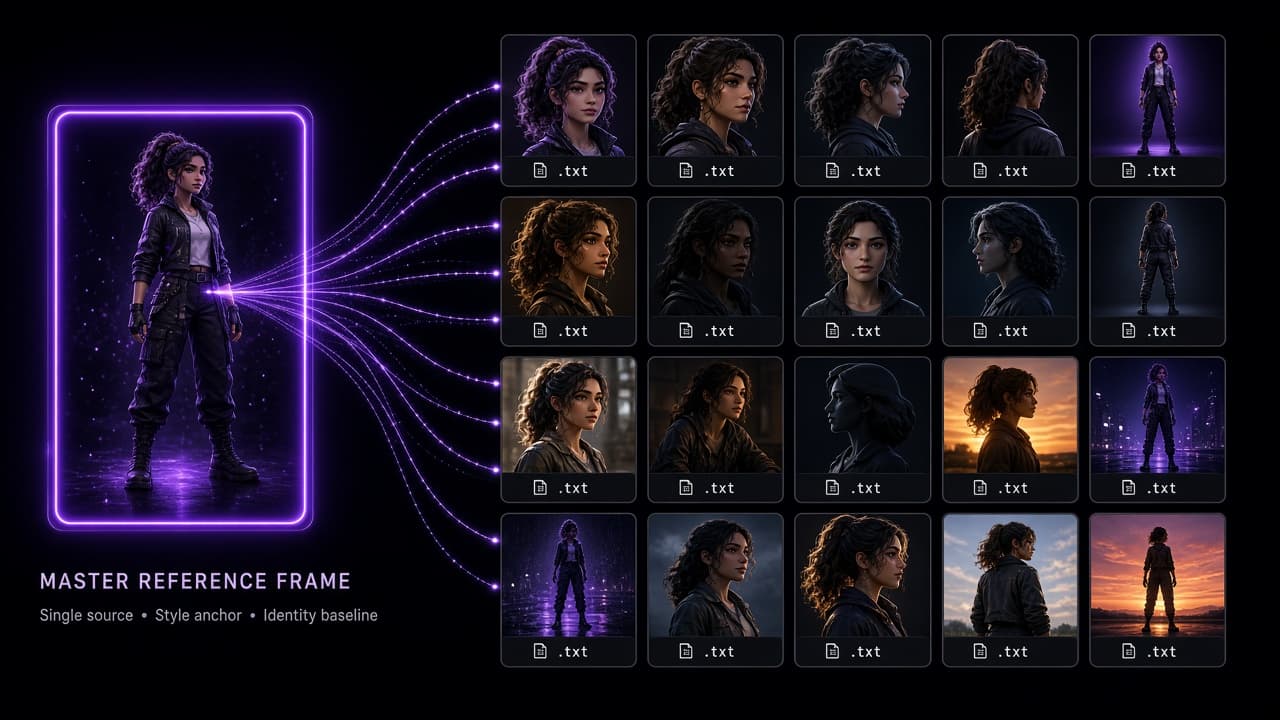
A character sheet with front, side and back views on one canvas is a single image to the trainer. Fed whole, it teaches the LoRA to draw tiny repeated figures side by side, and the face is too small to learn. That is a common reason a reference sheet LoRA fails when it is fed as one file.
Cut each view into its own image. Crop with some margin around the figure, keep the original pixels rather than stretching them, and upscale only if a crop falls well below the training resolution. Turnaround views become your full-body front, side and back rows, and expression sheets become close-ups.
You do not need to crop everything to a square. Trainers with aspect-ratio bucketing accept tall full-body crops and wide close-ups together, which we explain in our aspect ratio bucketing guide. If all you have is one image, generate the missing views first using the one-image dataset workflow.
- 01
Separate each view
Cut front, side, back and each expression into its own file. - 02
Crop with margin
Leave space around the head and feet so nothing is clipped. - 03
Remove sheet artifacts
Erase labels, arrows, color swatches and grid lines. - 04
Check resolution
Keep crops near your training resolution and upscale only small ones.
Example Captions for the 20-Image Set
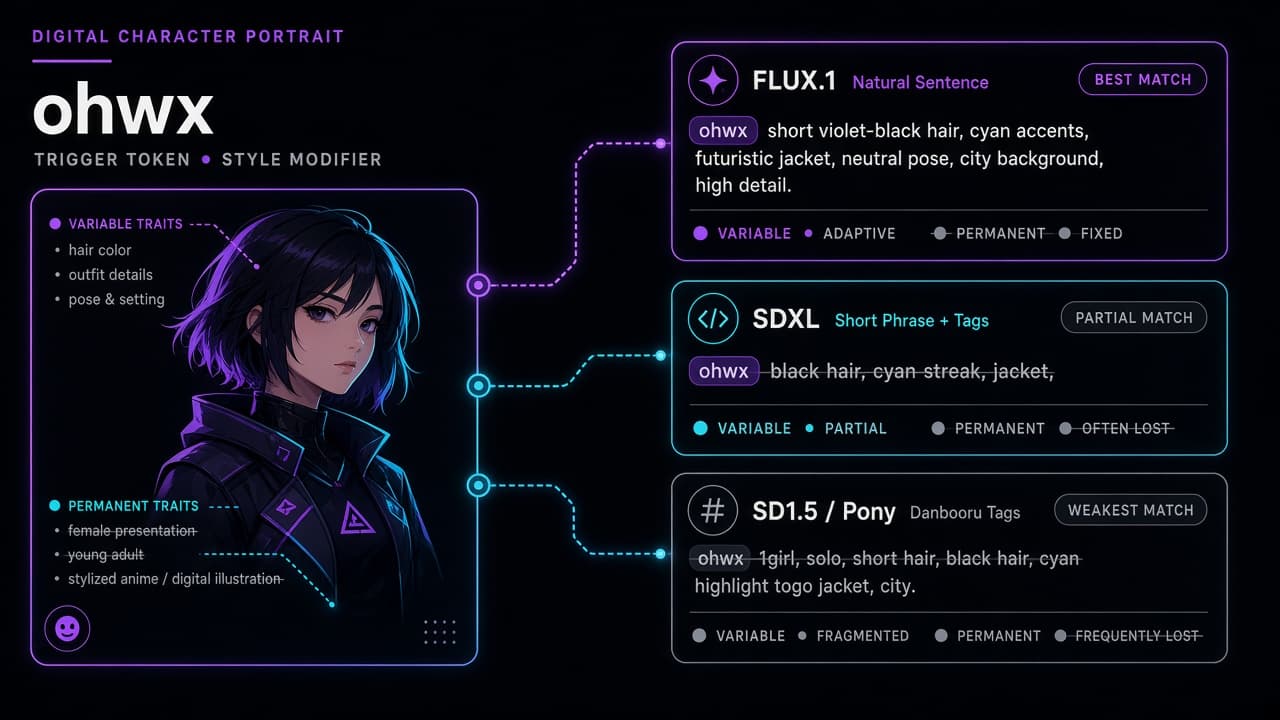
Each image gets a .txt caption with the same file name. Start with the trigger word, then describe what changes in that image: framing, angle, expression, outfit, background and light. Leave out the fixed identity traits you want the trigger to absorb, such as eye color or face shape, unless your base model needs them spelled out.
Natural-language captions suit Flux, while Pony and Illustrious respond better to booru-style tags. The full rules are in our captioning and trigger word guide, and folder naming is covered in the Kohya and Civitai folder structure guide.
# 02.txt  (Flux, natural language)
zxc woman, close-up portrait, three-quarter view from the left, slight smile, warm indoor lighting, blurred living room background

# 18.txt  (Flux, natural language)
zxc woman, full body, side view, walking on a city sidewalk, wearing a long beige coat and jeans, overcast daylight

# 18.txt  (Pony or Illustrious, tags)
zxc, 1girl, solo, full body, from side, walking, long coat, jeans, sidewalk, city, overcast
Common Mistakes in Character Datasets and How to Fix Them
Audit your 20 images against this table before training. Most failed character LoRAs trace back to one of these patterns, not to learning rate or rank. If the trained LoRA still drifts, use our identity drift fixes.
| Mistake | What the LoRA does | Fix |
|---|---|---|
| 15 of 20 images are face close-ups | Cannot draw the body or full-body shots | Rebalance toward the shot list mix |
| Same background in most images | Background appears in every output | Swap or remove repeated backgrounds |
| Whole reference sheet as one file | Draws small repeated figures | Split each view into its own image |
| Inconsistent face across images | Blurry or averaged identity | Drop images where the face does not match |
| Near-duplicate frames | Locks into one pose | Keep one per pose and add new angles |
| Text, logos or watermarks | Prints artifacts into outputs | Crop or clean them out |
Build the Same Dataset Faster
Writing a shot list by hand is fine for one character, but it gets slow when you manage several. The LoRA Dataset studio generates a consistent multi-angle set from your reference, splits it into separate images, and exports captions ready for Kohya, AI-Toolkit or Civitai.
Whichever route you take, judge the final set with one question: if you covered the face of every image, could you still tell what varies? If the answer is yes for angle, framing, outfit, lighting and background, the dataset is ready to train.
Frequently asked questions
What does a good LoRA dataset example look like?
About 20 images of the same character with a mix of roughly 6 face close-ups, 5 bust shots, 5 half-body shots and 4 full-body shots, each with a different angle, expression, outfit, lighting or background, plus one caption file per image.
Can I use a character reference sheet to train a LoRA?
Yes, but split it first. Cut each view and expression into a separate image, remove labels and grid lines, and caption each crop. A whole sheet in one file teaches the LoRA to draw small repeated figures.
Should all images in a character LoRA dataset have the same outfit?
Only if the outfit is part of the character. Otherwise use at least three outfits and name the outfit in each caption so the LoRA does not bind clothing to the trigger word.
Do I need to crop character LoRA images to a square?
No. Trainers with aspect-ratio bucketing, such as Kohya and AI-Toolkit, accept portrait, landscape and square images together, so you can keep tall full-body crops.
How should I caption a character LoRA dataset?
Start every caption with the trigger word, then describe what changes in that image, such as framing, angle, expression, outfit, background and lighting. Use natural language for Flux and booru tags for Pony and Illustrious.
Sources and further reading
- kohya-ss/sd-scripts, dataset configuration documentation (caption files, num_repeats, buckets)
- ostris/ai-toolkit README, dataset preparation (images with matching .txt captions, bucketing)
- Hugging Face diffusers, LoRA training documentation
- Civitai Education, using the on-site LoRA trainer
- Ruiz et al., DreamBooth: Fine Tuning Text-to-Image Diffusion Models for Subject-Driven Generation