- Rank
- Network alpha
- network_dim
- Kohya
- AI-Toolkit
- Flux
- SDXL
Start LoRA Rank at 16–32, Alpha = Rank
Rank sets capacity and file size; alpha scales the update (alpha/rank). For character LoRAs, start at rank 16–32 with alpha equal to rank, or half.
What Network Dim (Rank) Means
LoRA (Hu et al., 2021) freezes the original weight matrix W and learns an update as the product of two small matrices, B times A. If W is d by k, A is r by k and B is d by r, where r is the rank. Kohya calls r network_dim; Ostris AI-Toolkit calls it linear.
Rank sets the number of trainable parameters per layer: r times (d + k). Doubling rank doubles the parameters and, roughly, the file size. Higher rank gives the LoRA more capacity to store detail, but also more room to memorize backgrounds, lighting and compression artifacts from a small dataset.
What Network Alpha Does: The alpha / rank Formula
The LoRA paper scales the update by alpha divided by r, so the applied change is W + (alpha / r) x BA. Kohya implements the same scale. With alpha equal to rank the multiplier is 1.0; with alpha at half of rank it is 0.5; with Kohya's default alpha of 1 and rank 32 it is 1/32.
Because the scale multiplies every update, lowering alpha acts much like lowering the learning rate. That is why old guides recommending alpha 1 also used much higher learning rates. If you change alpha, revisit the learning rate, and vice versa. Kohya's own LoRA docs say alpha is generally recommended at about half of network_dim, or equal to it.
Rank-stabilized LoRA (rsLoRA, Kalajdzievski 2023) argues for alpha divided by the square root of rank so that high ranks do not train too slowly; some trainers expose it as an option.
Rank 8 vs 16 vs 32 vs 64: Trade-offs
| Rank | Relative size | Typical use | Risk |
|---|---|---|---|
| 8 | 1x | Simple objects, light styles, SD1.5 | May miss fine identity detail |
| 16 | 2x | Default for many Flux character LoRAs (AI-Toolkit example uses 16/16) | Balanced |
| 32 | 4x | Detailed characters, complex outfits, SDXL | More memorization on small datasets |
| 64 | 8x | Large, diverse datasets or multi-concept LoRAs | Large files, overfits small sets, slower |
Recommended Starting Points by Model
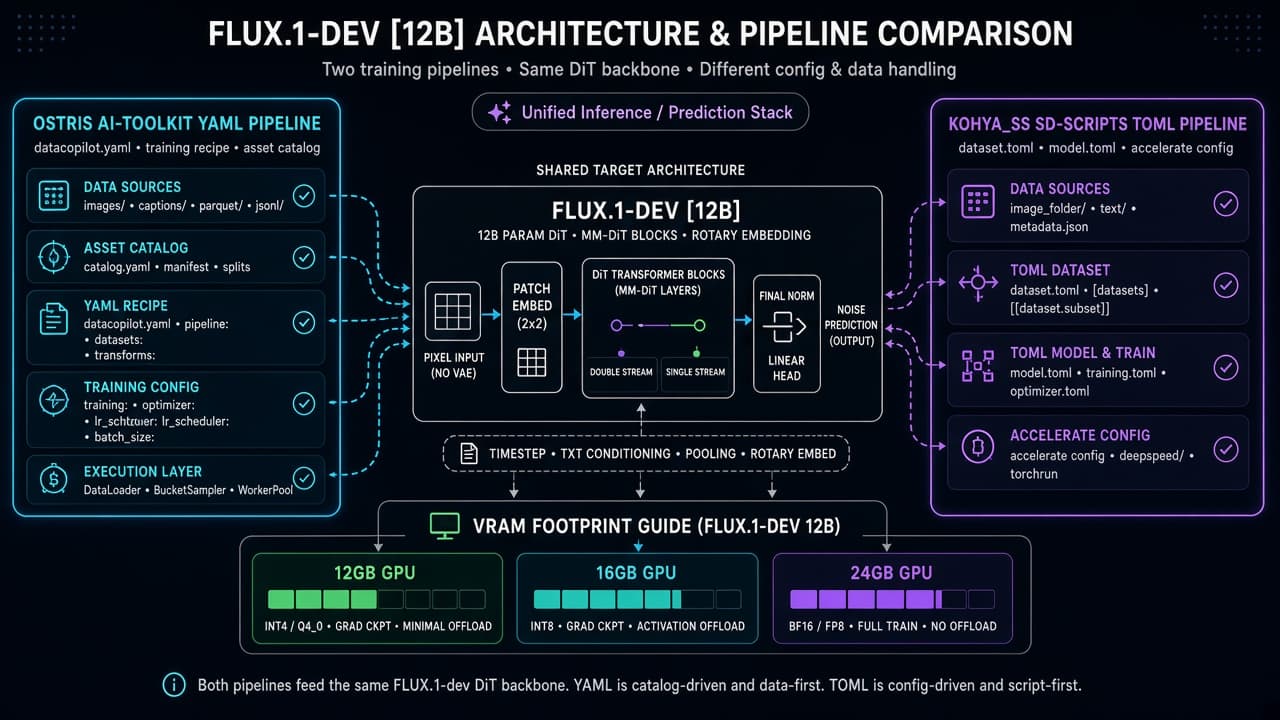
- Flux.1-dev: rank 16, alpha 16 in AI-Toolkit's example configs; raise to 32 for very detailed subjects. See AI-Toolkit vs Kohya for Flux.
- SDXL, Pony and Illustrious: rank 16 to 32 with alpha equal to rank or half of it.
- SD1.5: rank 8 to 32; small models need less capacity.
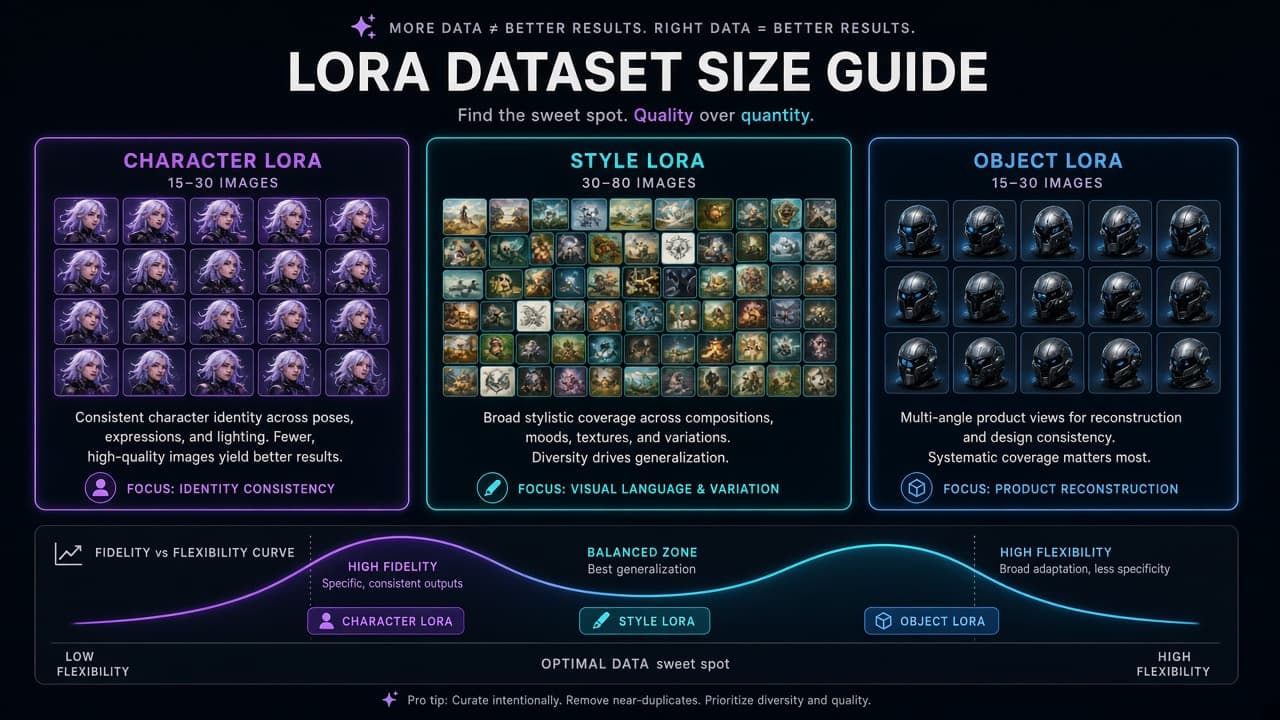
- Small datasets (15 to 30 images, see how many images to train a LoRA) rarely benefit from rank above 32.
- Keep rank fixed while tuning learning rate and steps, then change one variable at a time.
How to Tune Rank and Alpha Without Guessing
- 01
Start at rank 16, alpha 16
Train a baseline with your normal learning rate and save checkpoints regularly. - 02
Judge with a sample grid
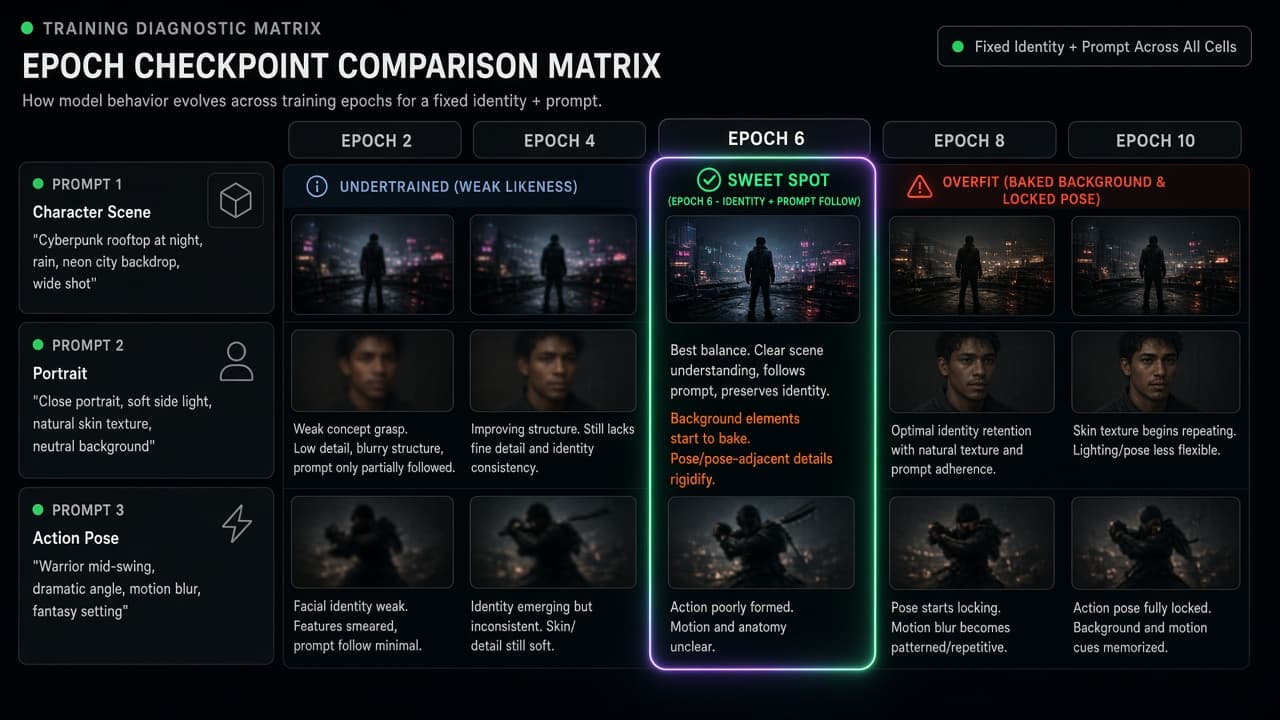
Compare checkpoints on fixed prompts and seeds, as in overfitting vs undertraining. - 03
Raise rank only for missing detail
If identity is right but fine detail is missing at the best checkpoint, try rank 32. - 04
Lower alpha or LR for burn-in
If outputs saturate or copy training backgrounds early, halve alpha or the learning rate rather than lowering rank. - 05
Fix the dataset first
Many rank problems are really dataset problems. A consistent, varied set from LoRA Dataset Studio often matters more than rank.
Frequently asked questions
What is the difference between network dim and network alpha?
Network dim (rank) sets the size and capacity of the LoRA matrices. Network alpha scales the learned update by alpha divided by rank, acting like a learning-rate multiplier.
Should network alpha equal network dim?
Alpha equal to rank gives a scale of 1.0 and is a common default, including in AI-Toolkit Flux examples. Half of rank is also popular. Pick one and tune the learning rate around it.
Is a higher LoRA rank always better?
No. Higher rank adds capacity and file size but makes it easier to memorize small datasets. Most character LoRAs work well at rank 16 to 32.
Why did my LoRA learn nothing with alpha 1?
With alpha 1 and rank 32 the update is scaled by 1/32, so a learning rate tuned for alpha equal to rank is far too low. Raise alpha or the learning rate.
Does rank change LoRA file size?
Yes. Parameters per layer equal rank times the sum of the layer dimensions, so file size grows roughly linearly with rank.
Sources and further reading
- Hu et al., LoRA: Low-Rank Adaptation of Large Language Models (arXiv 2106.09685)
- kohya-ss/sd-scripts: LoRA training docs, train_network.md (network_dim, network_alpha default 1)
- ostris/ai-toolkit: train_lora_flux_24gb.yaml example config
- Kalajdzievski, A Rank Stabilization Scaling Factor for Fine-Tuning with LoRA (arXiv 2312.03732)