- Illustrious XL
- NoobAI
- Danbooru tags
- Prompting
- Anime LoRA
- SDXL
- Captioning
Illustrious XL Tags List: Quality, Character, Rating and Negative Tags
A practical Illustrious XL tag list: quality, aesthetic, rating and character tags, the right prompt order, negatives, and how they map to LoRA captions.
What Tags Does Illustrious XL Understand?
Illustrious XL is an SDXL fine-tune from Onoma AI trained on the Danbooru2023 dataset, so its vocabulary is the Danbooru tag vocabulary: general tags such as long hair or upper body, character tags such as hatsune miku, copyright tags for the series, artist tags, and rating tags. If a tag exists on Danbooru with a meaningful post count, Illustrious and most models built on it, including NoobAI-XL, usually know it.
Two things it does not need are sentences and Pony score tags. Strings like score_9, score_8_up belong to Pony Diffusion V6 and do nothing useful on Illustrious. Later Illustrious versions handle some natural language, but tags remain the most predictable way to control the image. If you are coming from Pony, our Pony vs Illustrious anime dataset guide explains how the two families differ for training.
Illustrious XL Tags List by Category
You rarely need more than four or five quality tags. A common positive string is masterpiece, best quality, very aesthetic, absurdres, with newest added when you want a current anime look. The official Illustrious XL v0.1 card shows short negatives built from worst quality, bad quality, low quality, lowres, displeasing, bad anatomy, bad hands, scan artifacts, jpeg artifacts and extra digits.
| Category | Example tags | What it controls | Notes |
|---|---|---|---|
| Quality (positive) | masterpiece, best quality, good quality | Overall finish and detail | The v0.1 model card lists worst, bad, average, good, best quality and masterpiece |
| Resolution | absurdres, highres | Fine detail and sharpness | Taken from Danbooru image size tags |
| Aesthetic | very aesthetic, aesthetic | Visual appeal score | Use displeasing and very displeasing in the negative |
| Year or recency | newest, recent, year 2024 | Modern versus older drawing styles | Most effective on NoobAI-XL and later merges |
| Rating | general, sensitive, questionable, explicit | Content rating | Use general for safe for work images |
| Subject count | 1girl, 1boy, 2girls, solo, multiple girls | How many people appear | Put this first |
| Character | character name, often with series in parentheses | A known character without a LoRA | Use the exact Danbooru name order |
| Composition | portrait, upper body, cowboy shot, full body | Framing | The model card warns against stacking conflicting framing tags |
| Negative base | worst quality, low quality, lowres, bad anatomy, bad hands, jpeg artifacts, signature, watermark | What to avoid | Start small and add only what you see |
Illustrious Prompt Order and Character Tag Format
Illustrious was trained on tags in a fairly consistent order, so keeping that order makes results more stable. The usual sequence is subject count, character name, series name, artist or style tags, then general tags for appearance, expression, outfit, pose, background and lighting, and finally quality tags. Quality tags can also go first, but in long prompts many users move them to the end so they do not push the character tags back.
Character tags must match Danbooru exactly, including the Japanese name order for Japanese characters. When a tag contains parentheses, such as a character name followed by the series in parentheses, escape them with a backslash in ComfyUI, Forge and A1111. Otherwise the parentheses are read as attention weighting and the series name gets weighted instead of being part of the tag. Underscores and spaces both work on modern Illustrious checkpoints.
Generation settings matter as much as tags. The Illustrious XL v0.1 model card recommends Euler a, 20 to 28 steps and CFG 5 to 7.5. Like other SDXL models it works best at about one megapixel, for example 1024 by 1024 or 832 by 1216 for portraits. Our aspect ratio and resolution guide lists the standard SDXL sizes.
Positive:
1girl, solo, hatsune miku, vocaloid, long hair, twintails, aqua eyes, smile, detached sleeves, standing, city lights, night, upper body, masterpiece, best quality, very aesthetic, absurdres, newest

Negative:
worst quality, low quality, lowres, bad anatomy, bad hands, extra digits, jpeg artifacts, signature, watermark
Illustrious vs Pony vs NoobAI Quality Strings
Mixing these strings is the most common reason an Illustrious image looks flat. A Pony LoRA loaded on an Illustrious checkpoint, or an Illustrious prompt with score tags, often produces muddy results. Match the LoRA, the checkpoint and the quality string to the same family. If you are deciding between bases before training, our Flux vs SDXL comparison covers the wider trade-offs.
| Base model | Positive quality string | Negative quality string | Score tags? |
|---|---|---|---|
| Illustrious XL | masterpiece, best quality, very aesthetic, absurdres | worst quality, low quality, lowres, displeasing | No |
| NoobAI-XL | masterpiece, best quality, newest, absurdres, highres | worst quality, low quality, old, early | No |
| Pony Diffusion V6 | score_9, score_8_up, score_7_up, source_anime | score_6, score_5, score_4 | Yes |
How Illustrious Tags Map to LoRA Captions
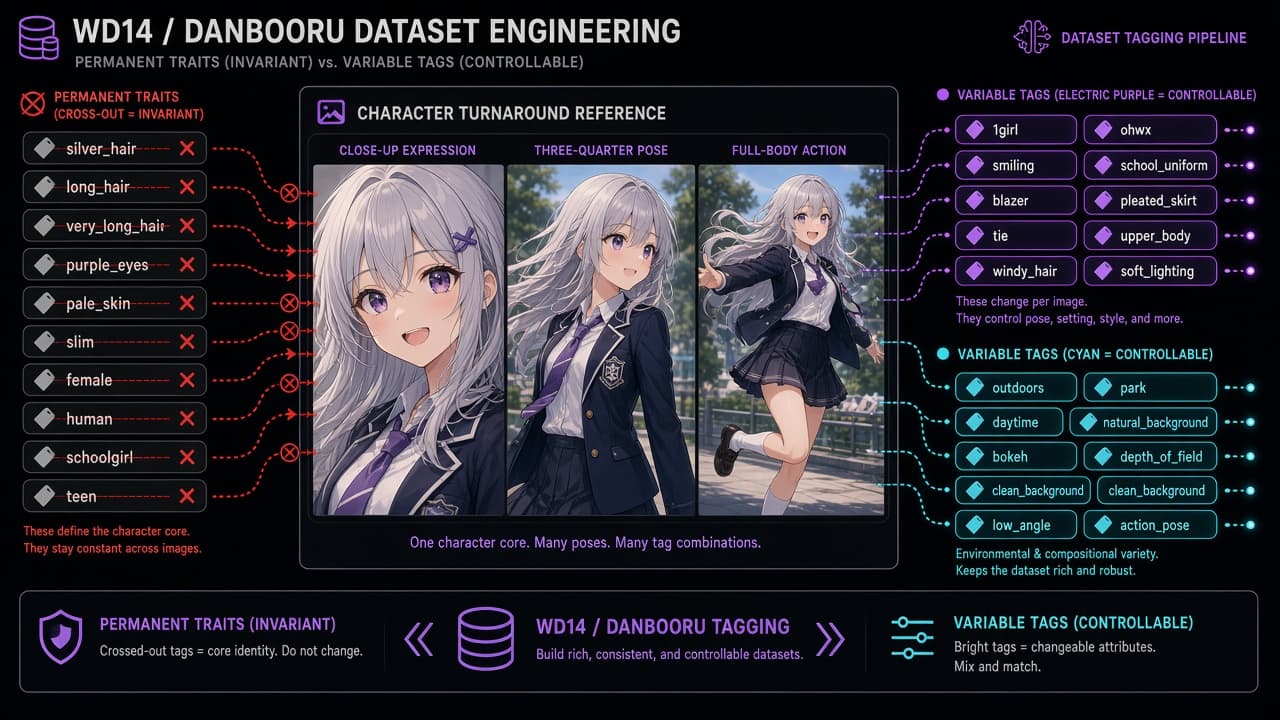
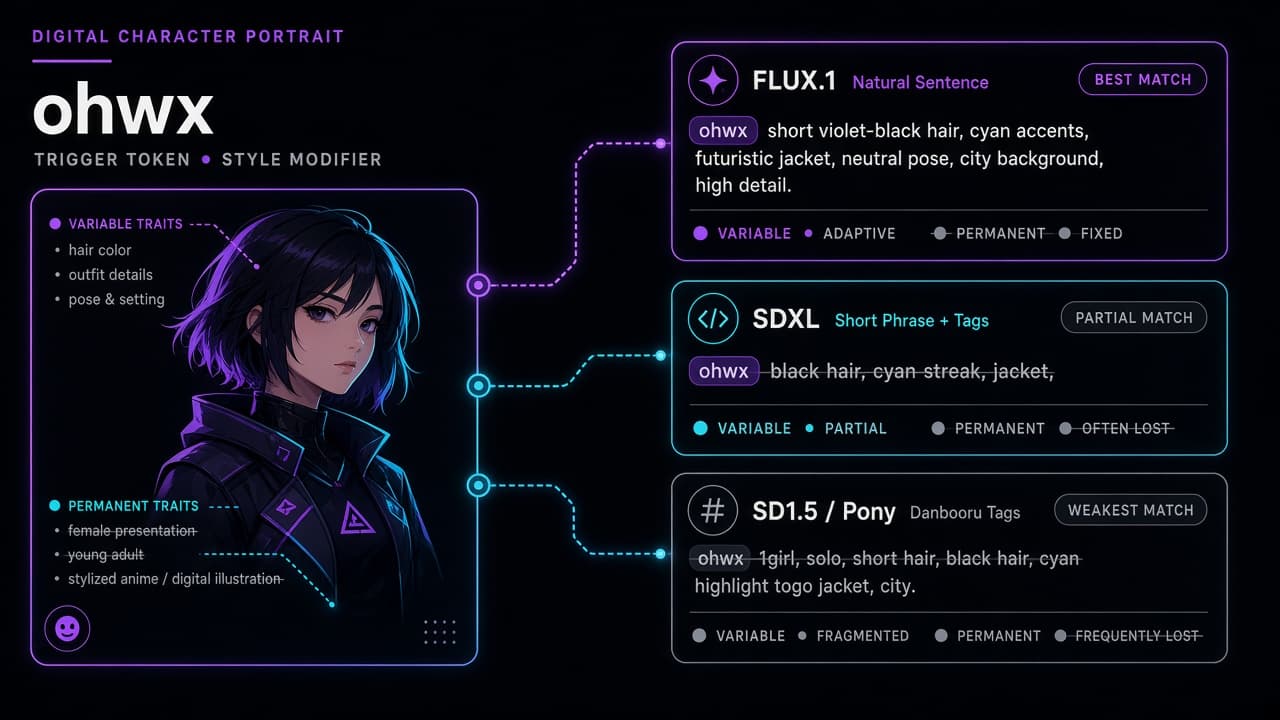
When you train a LoRA on Illustrious, the captions should use the same Danbooru vocabulary you will prompt with. Start each caption with your trigger, then the subject count, then tags for things that change between images such as outfit, pose, expression and background. Leave out tags for the fixed identity traits you want the trigger to absorb, as explained in our trigger word and captioning guide.
Quality tags in captions are optional. Many trainers leave them out so the LoRA does not change how quality tags behave, and add masterpiece or best quality only when every image truly deserves it. Rating tags are worth keeping if your dataset mixes ratings, because they let you steer the LoRA at inference. In Kohya, set keep_tokens to 1 or 2 so the trigger and count tag stay at the front when shuffle_caption is on. For a WD14 tagging workflow, see our auto-captioning comparison.
If you start from one reference drawing, the LoRA Dataset Studio can turn it into a varied, captioned dataset you can then retag with Danbooru terms.
- 01
Pick the base family
Confirm the checkpoint is Illustrious or NoobAI based and use matching LoRAs. - 02
Write the subject block
Start with the subject count, then the exact Danbooru character and series tags or your LoRA trigger. - 03
Add general tags
List appearance, expression, outfit, pose, background and framing, using one framing tag. - 04
Add quality tags
Group four or five quality tags at the start or end, adding newest for a modern style. - 05
Write a short negative
Begin with worst quality, low quality and lowres, then add only the problems you actually see. - 06
Tune settings
Use Euler a, 20 to 28 steps, CFG 5 to 7.5 and an SDXL bucket size such as 832 by 1216.
Frequently asked questions
Does Illustrious XL use score_9 tags?
No. Score tags belong to Pony Diffusion V6. Illustrious uses Danbooru style quality tags such as masterpiece, best quality and absurdres, and score tags add nothing useful.
What are the best quality tags for Illustrious?
A common positive string is masterpiece, best quality, very aesthetic, absurdres, with newest for a modern style. The base negative is worst quality, low quality, lowres, plus bad hands or bad anatomy when needed.
How do I write character tags in Illustrious?
Use the exact Danbooru tag, keeping its name order, and add the series tag. Escape any parentheses with a backslash so they are not read as weighting.
Should I put quality tags in my LoRA captions?
Usually not. Leaving them out keeps the base model behavior of quality tags intact. Keep the trigger and subject count first and tag what varies between images.
Where do quality tags go in an Illustrious prompt?
Either at the start or the end. In long prompts, putting them at the end keeps character and subject tags near the front where they carry more weight.