- LoRA
- Checkpoint
- Full fine-tune
- DreamBooth
- Textual inversion
- Flux
- SDXL
LoRA vs Checkpoint: Differences and When to Train Each
LoRA vs checkpoint explained: file size, VRAM, dataset size, stacking and when to train a LoRA, a full fine-tune, or an embedding for Flux and SDXL.
What Is the Difference Between a LoRA and a Checkpoint?
A checkpoint is the full model: every weight of the UNet or diffusion transformer, usually bundled with the text encoder and VAE. You load it as the base model and it can generate images on its own. Community models such as Pony, Illustrious or Juggernaut are checkpoints made by fine-tuning a base model like SDXL.
A LoRA (Low-Rank Adaptation) freezes the base weights and trains two small matrices per targeted layer whose product is added to the original weight. The result is a separate file that only stores those deltas. It cannot generate anything alone; it is loaded on top of a checkpoint from the same family, at a strength you choose.
That design is why LoRAs are cheap to train, easy to share and stackable, and why a full fine-tune can still learn things a LoRA struggles with. If you are new to the vocabulary, our guides on LoRA rank and alpha and reading checkpoint grids cover the training side. Note that trainers also call each saved epoch a checkpoint; that is a snapshot of your LoRA, not a full model.
LoRA vs Checkpoint vs Embedding at a Glance
The Hugging Face LoRA write-up reports a Stable Diffusion LoRA of about 3 MB, roughly a thousand times smaller than the UNet it modifies, and the Diffusers docs describe textual inversion files as a few kilobytes. Rank drives LoRA size, so a rank 128 SDXL LoRA can approach a few hundred megabytes while rank 8 stays tiny.
| Method | What it changes | Typical file size | Works alone? | Typical dataset |
|---|---|---|---|---|
| Full checkpoint fine-tune | All model weights | About 2 GB (SD1.5 fp16) to about 7 GB (SDXL); Flux.1-dev weights are about 24 GB | Yes | Thousands of images for broad changes |
| DreamBooth (full) | All weights, focused on one subject | Same as a full checkpoint | Yes | Roughly 5 to 30 subject images plus class images |
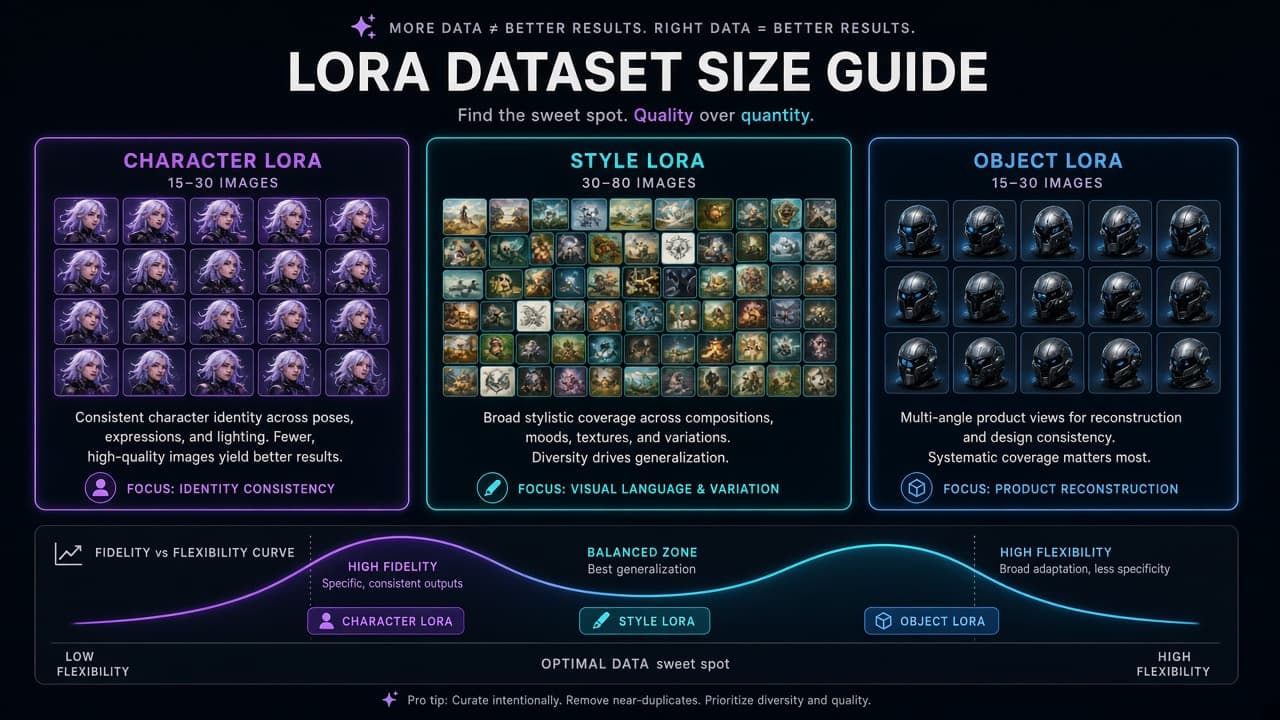
| LoRA | Low-rank deltas on attention and other layers | A few MB to a few hundred MB, depending on rank | No, needs a compatible base | 15 to 50 images for one concept |
| Textual inversion embedding | A new token embedding only | A few KB | No, needs a compatible base | 3 to 20 images |
When to Train a LoRA
For a character, the dataset matters more than the method. Build a varied, well-captioned set first; our one-image dataset workflow and the LoRA Dataset Studio generate multi-angle sets from a single reference.
- You want one character, face, outfit, product or art style added to a model you already like.
- You have a small dataset, usually 15 to 50 curated images; see how many images to train a LoRA.
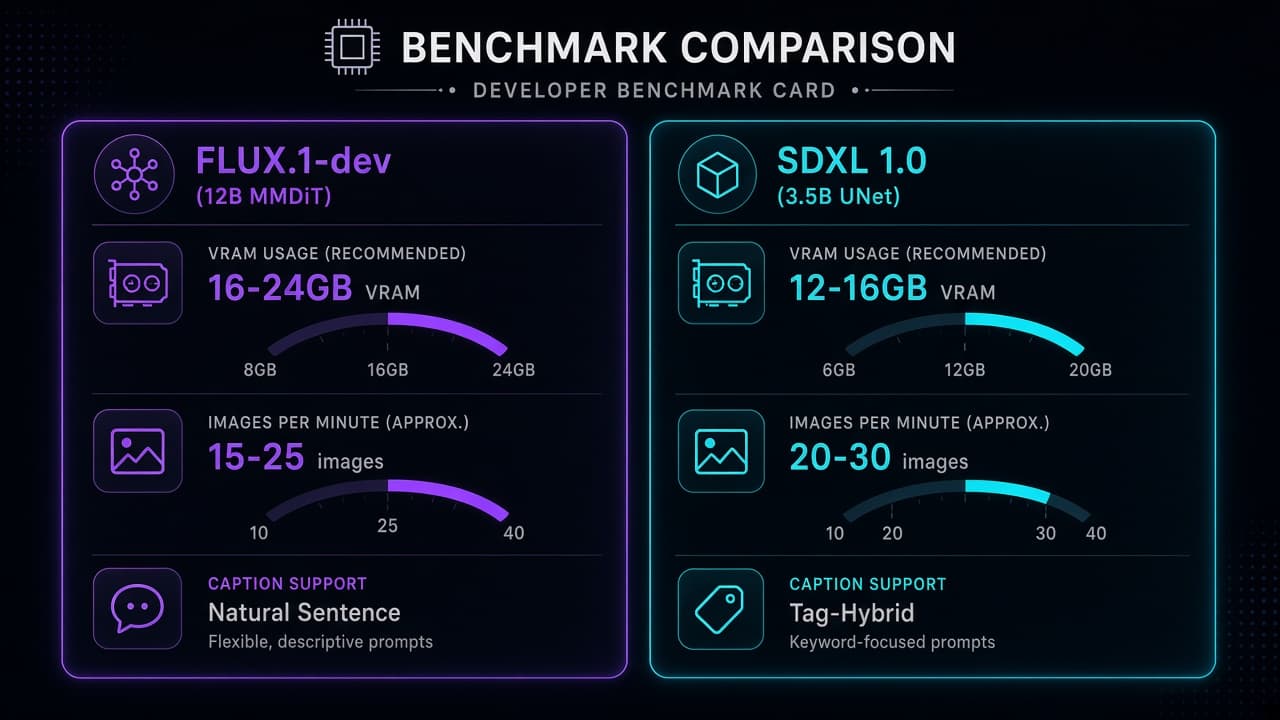
- You train on a consumer GPU. LoRA training on SDXL fits in roughly 12 GB with memory savers, and Flux LoRAs train on 16 to 24 GB with fp8 and gradient checkpointing.
- You want to combine concepts at generation time, such as a character LoRA plus a style LoRA, each at its own strength.
- You need to iterate fast. Retraining a LoRA takes minutes to a few hours instead of days.
When a Full Checkpoint Fine-Tune Is Worth It
Full fine-tuning updates every weight, so it can shift the whole model: a new default aesthetic, a large vocabulary of characters, a new domain such as medical or architectural imagery, or anatomy fixes across thousands of prompts. Popular community bases like Pony Diffusion and Illustrious exist because their creators retrained SDXL on very large tagged datasets, something a single LoRA cannot match.
The cost is real. You need datacenter-class VRAM or heavy optimization, a dataset of thousands of images with consistent captions, and storage for multi-gigabyte files per epoch. You also lose portability: a fine-tuned checkpoint replaces the base instead of stacking with other models. If your goal is one subject, a full fine-tune mostly adds risk of overfitting and forgetting.
A common middle path is to train a LoRA, then merge it into a base model at a fixed weight with a merge script or ComfyUI. The merged file behaves like a checkpoint for deployment, while you keep the LoRA for further mixing.
The rule of thumb: one concept means a LoRA. Many concepts or a new overall look, with thousands of images and serious GPU time, means a full fine-tune.
Base Model Compatibility and Stacking
Architecture decides compatibility, not file extension. If you plan to use Pony or Illustrious as your base, train against that checkpoint and caption in its tag style, as covered in our Pony and Illustrious dataset guide. For the Flux versus SDXL choice itself, see Flux vs SDXL LoRA training.
| LoRA trained on | Loads on | Notes |
|---|---|---|
| SD1.5 | SD1.5 fine-tunes | Will not load on SDXL or Flux |
| SDXL base | SDXL, Pony, Illustrious checkpoints | Works best on the checkpoint it was trained on; Pony and Illustrious LoRAs transfer less reliably to vanilla SDXL |
| Pony or Illustrious | Same family fine-tunes | Use the tag style of that family; see our anime tagging guide |
| Flux.1-dev | Flux.1-dev and its fine-tunes | Not compatible with SDXL; transfer to Flux.1-schnell is less reliable |
How to Decide in Five Steps
- 01
Define the goal
Write down whether you need one concept (character, style, product) or a broad change to the whole model. - 02
Count your images
Under about 100 curated images points to a LoRA or embedding. Thousands of consistently captioned images make a full fine-tune viable. - 03
Check your hardware
A 12 to 24 GB consumer GPU is LoRA territory. Full fine-tunes of SDXL or Flux realistically need large-VRAM cloud GPUs. - 04
Pick the base checkpoint
Choose the checkpoint you will actually generate with and train against it so the LoRA stays compatible. - 05
Train, test, then optionally merge
Train a LoRA, compare saved epochs on fixed seeds, and merge into the base only if you need a single deployable file.
Frequently asked questions
Is a LoRA better than a checkpoint?
Neither is better in general. A LoRA is better for adding one character, style or object cheaply and portably. A full checkpoint fine-tune is better for broad changes that need thousands of images and much more compute.
Can I use a LoRA without a checkpoint?
No. A LoRA only stores weight changes and must be loaded on a compatible base checkpoint, such as an SDXL LoRA on an SDXL model or a Flux LoRA on Flux.1-dev.
Can I turn a LoRA into a checkpoint?
Yes. You can merge a LoRA into its base model at a chosen strength with Kohya merge scripts or a ComfyUI save node. The result is a standalone checkpoint, but you lose the ability to adjust that LoRA's strength later.
Why is my LoRA file so large?
LoRA size grows with network rank and the number of layers trained. A rank 128 LoRA on SDXL or Flux can reach a few hundred megabytes, while rank 8 to 16 usually stays much smaller.