- LoRA
- Batch size
- Epochs
- Repeats
- Training steps
- Kohya
- AI-Toolkit
- Flux
- SDXL
LoRA Batch Size 1–2 and the Steps Formula
In Kohya, total steps = images × repeats × epochs ÷ batch size. Use batch 1 or 2 for character LoRAs; AI-Toolkit counts steps, not epochs.
How Are LoRA Training Steps Calculated?
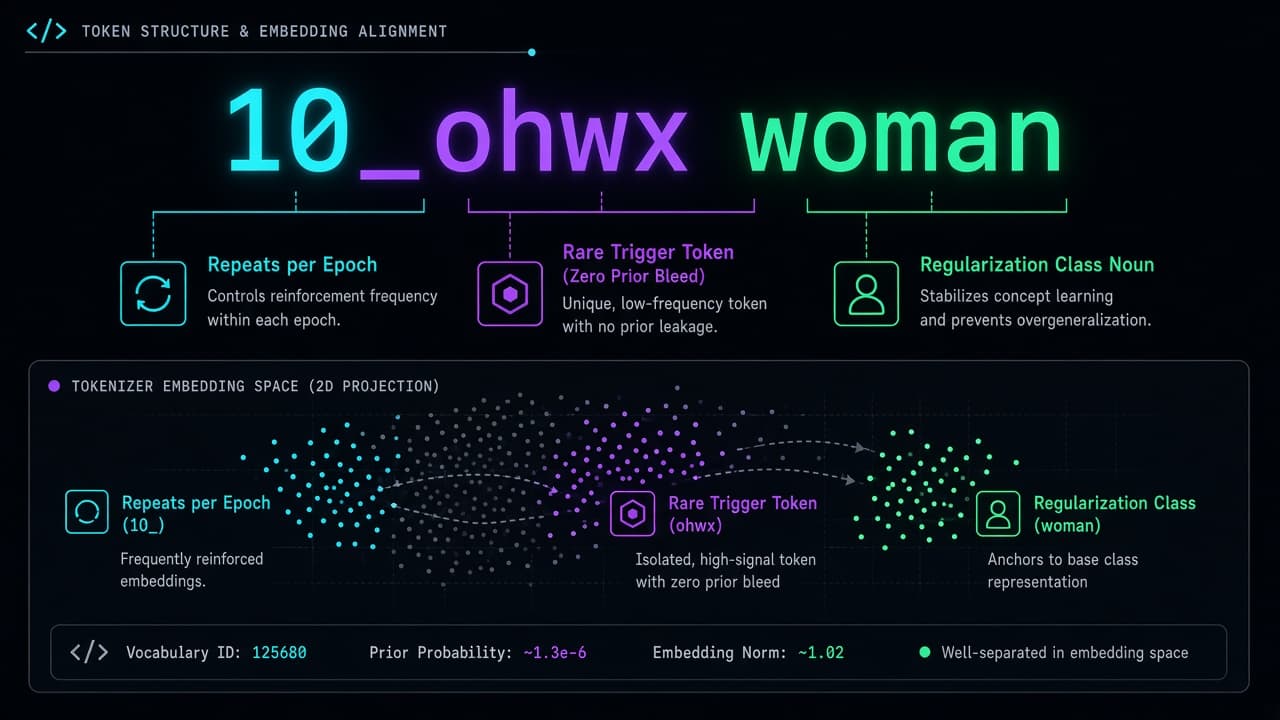
Every trainer ultimately counts optimizer steps: the number of times the LoRA weights are updated. In Kohya sd-scripts and the kohya_ss GUI, that number comes from four settings. Repeats is the number at the front of a dataset folder name, such as 10 in 10_ohwx woman. Epochs is how many full passes over the repeated dataset you run. Batch size is how many images are processed together in one step. Gradient accumulation is how many batches are summed before one weight update.
The basic formula is: steps per epoch = images x repeats / batch size, rounded up. Total steps = steps per epoch x epochs. With gradient accumulation above 1, the optimizer steps shown on the progress bar are roughly the total divided by the accumulation value. Kohya himself describes the per-bucket version in sd-scripts discussion 182: each aspect-ratio bucket is rounded up separately, then the buckets are summed.
So 20 images with 10 repeats at batch size 2 gives 100 steps per epoch, and 10 epochs gives 1,000 steps. The same dataset at batch size 1 gives 2,000 steps, but every image is still seen exactly the same number of times. If folder names like 10_ohwx woman are new to you, read what ohwx and Kohya folder repeats mean first.
Worked Examples: Same Dataset, Different Settings
These rows are plain arithmetic, not benchmark results. Notice the last column: every row shows the model 2,000 image views, yet the number of weight updates ranges from 500 to 2,000. That is the key point. Batch size and gradient accumulation change how many updates you get from the same data, while repeats and epochs change how many times the data is seen.
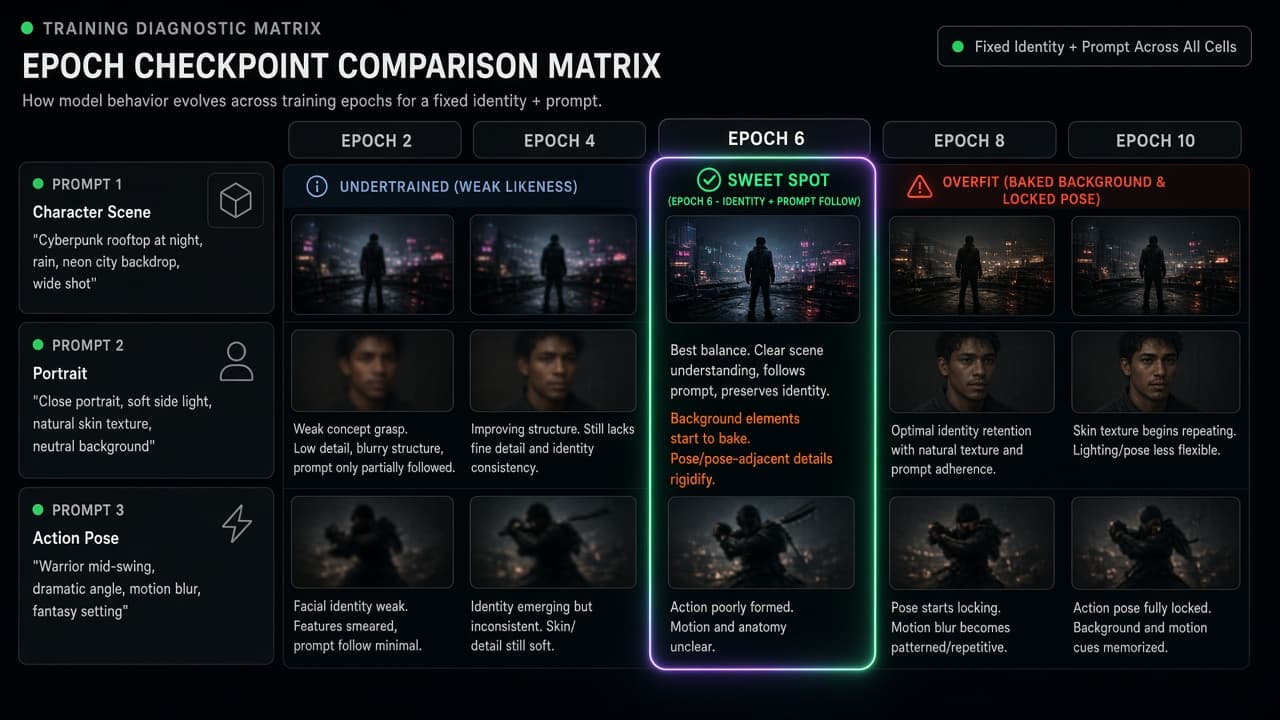
The last two rows also show that repeats and epochs trade off almost freely when you have one folder. Five repeats over 20 epochs and 20 repeats over 5 epochs give identical step counts. The practical difference is checkpoints: Kohya can save a LoRA every epoch, so more, shorter epochs give you more snapshots to compare in a grid, as explained in our overfitting vs undertraining guide.
| Repeats | Epochs | Batch size | Grad accumulation | Steps per epoch | Optimizer steps | Image views |
|---|---|---|---|---|---|---|
| 10 | 10 | 1 | 1 | 200 | 2,000 | 2,000 |
| 10 | 10 | 2 | 1 | 100 | 1,000 | 2,000 |
| 10 | 10 | 4 | 1 | 50 | 500 | 2,000 |
| 10 | 10 | 1 | 4 | 200 | 500 | 2,000 |
| 5 | 20 | 2 | 1 | 50 | 1,000 | 2,000 |
| 20 | 5 | 2 | 1 | 200 | 1,000 | 2,000 |
Why Kohya Shows a Different Step Count Than You Calculated
Aspect-ratio bucketing is the most common reason. Kohya groups images by bucket resolution and rounds up each bucket on its own, so a dataset split across many portrait, landscape and square buckets with a partly filled batch in each can add several steps per epoch. Our aspect ratio bucketing guide shows how buckets are formed.
Regularization images are the second reason. Kohya pairs training images with class images, so steps per epoch roughly double when a reg folder is present, and only as many reg images are used as there are repeated training images. Our regularization images guide explains when that is worth it.
Third, multiple GPUs split the batches, so the step count falls roughly by the number of GPUs. Finally, if you set max_train_steps without max_train_epochs, Kohya stops at that step number regardless of your epochs, and max_train_epochs overrides max_train_steps when both are set. Check which one your preset or GUI fills in before comparing numbers.
How AI-Toolkit and Other Trainers Count Steps
Ostris AI-Toolkit, popular for Flux.1-dev, skips the repeats and epochs bookkeeping. Its example Flux LoRA config sets batch_size 1, gradient_accumulation_steps 1, lr 1e-4 and steps 2000, with a comment that 500 to 4000 is a good range, and saves and samples every 250 steps. To translate a Kohya plan into AI-Toolkit, compute the Kohya optimizer steps and enter that number as steps.
If you raise batch_size in AI-Toolkit, the step count does not shrink automatically. Batch size 4 for 2,000 steps processes four times as many images as batch size 1 for 2,000 steps and takes roughly four times longer per step on the same GPU. Halve or quarter the steps if you want the same number of image views. For a full trainer comparison see AI-Toolkit vs Kohya for Flux.
| Trainer | Main length setting | Uses repeats? | Default batch size in example configs |
|---|---|---|---|
| Kohya sd-scripts / kohya_ss GUI | max_train_epochs or max_train_steps | Yes, from folder name or dataset config | 1 in most presets |
| Ostris AI-Toolkit | train.steps (example Flux config uses 2000) | No, the step count is set directly | 1 |
| Hugging Face Diffusers scripts | num_train_epochs or max_train_steps | Repeats option in some DreamBooth scripts | Set by train_batch_size |
What Batch Size Should You Use for a LoRA?
For character, product and outfit LoRAs on 15 to 50 images, batch size 1 or 2 is the standard starting point. Small datasets do not need large batches, consumer GPUs often cannot fit more than 1 to 2 images at 1024 resolution for SDXL or Flux, and the Kohya and AI-Toolkit example configs both default to 1. Larger batches mainly buy throughput on GPUs with spare VRAM.
When you do raise the batch size, you get fewer, smoother updates. To keep training strength roughly comparable, either keep the image views constant and accept fewer steps, or raise the learning rate. The linear scaling rule from Goyal et al. multiplies the learning rate by the same factor as the batch size; some practitioners prefer a gentler square-root increase. Treat both as starting points and verify with sample images, since adaptive optimizers behave differently, as covered in our optimizer guide.
Gradient accumulation is the low-VRAM way to get a larger effective batch: batch size 1 with accumulation 4 behaves similarly to batch size 4 but needs the memory of one image and runs about as slowly as four separate steps. It is useful for stability on larger style datasets, rarely necessary for a 20-image character. Batch size also interacts with bucketing: images in one batch must share a bucket, so a large batch with many small buckets wastes steps on partly filled batches.
How to Plan Total Steps for Your Run
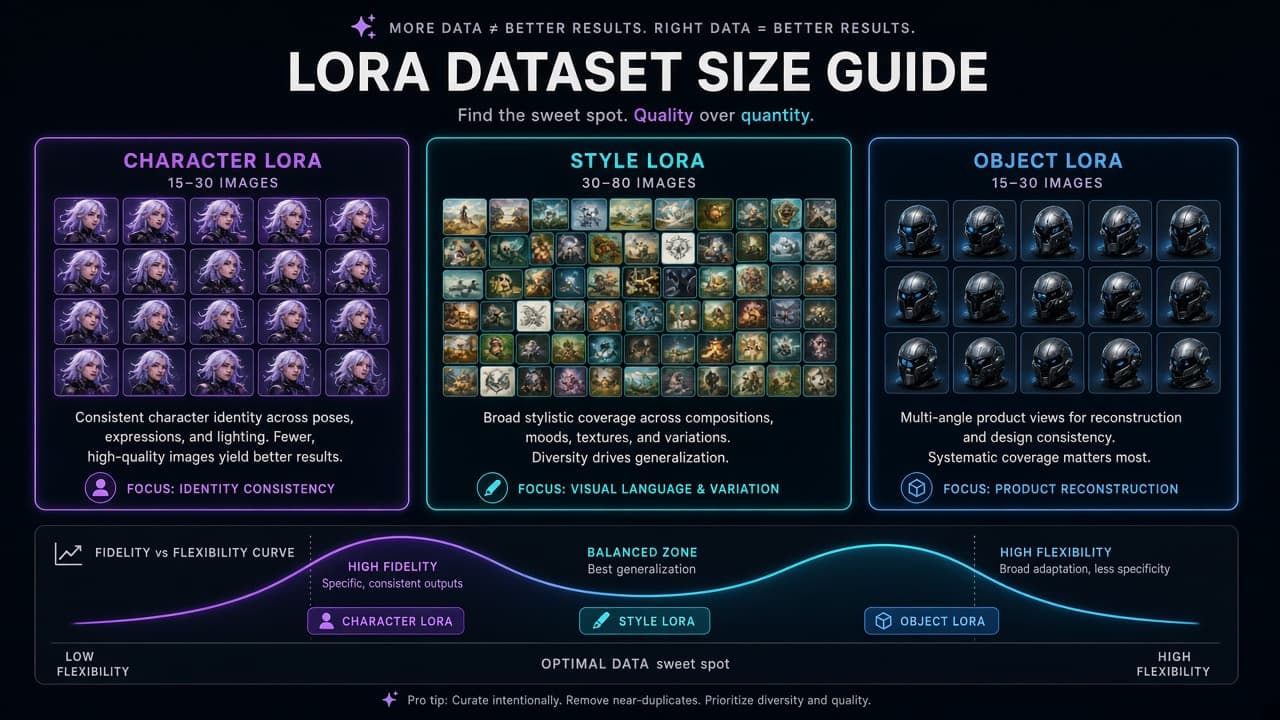
Start from a target number of image views rather than a target step count. A common community range for a character LoRA is about 1,500 to 3,000 views, with style LoRAs on larger datasets often trained longer; our image count guide gives dataset sizes by base model. Then pick batch size for your VRAM, and derive epochs and repeats from there.
Save often enough that the right checkpoint exists. Saving every epoch with 8 to 12 epochs, or every 250 steps in AI-Toolkit, gives you a grid to pick from instead of guessing. If you still need a varied, well-captioned dataset, the LoRA Dataset Studio builds one from a single reference image.
- 01
Count your images
Note how many curated images you have after removing duplicates and near duplicates. - 02
Choose a view target
Pick a target such as 2,000 image views for a character LoRA and adjust after the first run. - 03
Pick batch size from VRAM
Use 1 or 2 on 12 to 24 GB GPUs at 1024 resolution; use accumulation if you want a larger effective batch. - 04
Split views into repeats and epochs
Divide the view target by images to get repeats times epochs, for example 20 images and 2,000 views gives 100, such as 10 repeats and 10 epochs. - 05
Compute optimizer steps
Divide image views by batch size and accumulation to get the step count, and enter it directly as steps in AI-Toolkit. - 06
Save and compare checkpoints
Save every epoch or every 250 steps, render the same prompts and seeds, and keep the earliest checkpoint that holds identity without artifacts.
Frequently asked questions
Does a higher batch size mean less training?
Not in image views. Each epoch still shows every image times its repeats once, but in fewer, larger steps. Fewer updates at the same learning rate can produce a weaker LoRA, so people often raise the learning rate or epochs when they raise batch size.
What is the difference between repeats and epochs?
Repeats is how many times each image in a folder appears within one epoch, and epochs is how many passes over that repeated dataset you run. With one folder they multiply the same way. Repeats matter most for balancing folders and regularization images, while epochs decide how often checkpoints are saved.
Is batch size 1 bad for LoRA training?
No. Batch size 1 is the default in the Kohya and AI-Toolkit example configs and works well for small character datasets. It is slower per image on large GPUs, but it is not lower quality by itself.
Why does Kohya show more steps than images x repeats x epochs divided by batch size?
Usually because of aspect-ratio bucketing, which rounds up partly filled batches in each bucket, or because regularization images roughly double the steps per epoch.
How many steps should a Flux LoRA train for?
The AI-Toolkit example Flux config uses 2,000 steps at batch size 1 and calls 500 to 4,000 a good range. Save every 250 steps and choose the checkpoint from samples rather than trusting a fixed number.
Sources and further reading
- kohya-ss/sd-scripts discussion 182: repeats, epochs and total steps
- kohya-ss/sd-scripts issue 366: how epochs and gradient accumulation steps are counted
- Ostris AI-Toolkit example config: train_lora_flux_24gb.yaml
- Goyal et al., Accurate, Large Minibatch SGD (arXiv 1706.02677), linear learning rate scaling
- Hugging Face Diffusers LoRA training docs