- Anime
- Character LoRA
- Pony
- Illustrious
- Screenshots
- Dataset prep
Curate Anime Screenshots for LoRAs
Which anime screenshots, official art and fan art belong in a Pony or Illustrious character LoRA dataset, and how to clean subtitles, letterboxing and blur.
Official Art, Screenshots or Fan Art: What Should Go in the Dataset?
An anime character LoRA learns two things at once: who the character is and how the images look. Every source you add pulls on both. Screenshots from the show give you the canonical design in the studio style, official art gives you clean, detailed renders, and fan art gives you volume but also dozens of different artists and interpretations.
Trainers on r/StableDiffusion commonly recommend screenshots from the anime as the backbone of a character set because they show the design as it actually appears on screen, with fan art used sparingly if at all. Official key visuals, character sheets and illustrations are a useful supplement: they are sharp and on-model, but they are often painted in a more detailed style than the episodes.
Fan art is the riskiest source. Each artist changes eye shape, proportions, line weight and coloring, and the LoRA averages those changes into the character. Use it only when the character has almost no official material, and then only pieces that are clearly on-model. For the general rules on set size, see how many images to train a LoRA.
| Source | Strength | Main risk | Suggested role |
|---|---|---|---|
| Episode or film screenshots | Canonical design in the show style, many angles | Subtitles, letterboxing, motion blur, compression | Core of the dataset |
| Official art and character sheets | Sharp, detailed, on-model | A painted style different from the episodes | Smaller supplement, tagged as official art |
| Promotional key visuals | High resolution, good poses | Busy backgrounds, several characters per image | Crop to one character before use |
| Fan art | Volume for obscure characters | Off-model faces and mixed artist styles | Only when official material is scarce, hand-picked |
| AI-generated images of the character | Fills missing angles | Copies the errors of the model that made them | Last resort, reviewed image by image |
How Do You Clean Screenshots for LoRA Training?
Most screenshot problems are visible at a glance, so clean before you caption. Remove letterbox bars first: FFmpeg's cropdetect filter reports the active picture area of a video, and the crop filter applies it, which is faster than cropping hundreds of frames by hand.
Then sort out the frames you do not want. Drop anything with burned-in subtitles across the character, on-screen logos, heavy motion blur, smear frames, visible compression blocks, or a character that only fills a small corner of the frame. Remove near-duplicate frames from the same shot as well; ten copies of one pose teach the LoRA that pose, not the character. FFmpeg's mpdecimate filter can drop frames that barely differ when you extract them.
Finally crop each keeper around the character and let bucketing handle the shape. You do not need to force everything to a square; our aspect ratio bucketing guide explains how trainers group images by shape. If a frame is too small to reach your training resolution after cropping, it is usually better to drop it than to upscale it heavily.
| Problem | What to do |
|---|---|
| Letterbox or pillarbox bars | Crop them off with cropdetect and crop, or drop the frame |
| Subtitles over the character | Drop the frame; crop only if the text sits well outside the subject |
| Motion blur or smear frames | Drop; they teach blurry anatomy |
| Compression blocks or banding | Use a higher quality source or drop the frame |
| Character tiny in a wide shot | Crop if still sharp at training resolution, otherwise drop |
| Many frames from one shot | Keep one or two of the best |
# 1. Find the active picture area (prints values like crop=1920:800:0:140)
ffmpeg -ss 120 -i episode.mkv -t 10 -vf cropdetect -f null -

# 2. Extract one frame per second with bars removed and near-duplicates dropped
ffmpeg -i episode.mkv -vf "crop=1920:800:0:140,mpdecimate,fps=1" -fps_mode vfr frames/ep01_%04d.png
How Many Official Images Versus Screenshots Do You Need?
There is no fixed ratio, but a working target is a set of roughly 30 to 50 curated images in which screenshots clearly outnumber official art. Community advice for Illustrious character sets on Reddit lands in the same range, with most images focused on the face and upper body and some full-body shots if the outfit matters.
Balance shot types as you would for any character: close-ups for the face, upper-body shots for hair and clothing details, and full-body shots for proportions. Our worked 20-image character shot list shows a balanced mix you can scale up. Run the set through our dataset QA checklist before training.
| Shot type | Screenshots | Official art | Why |
|---|---|---|---|
| Face close-ups, several angles | 10 | 3 | Locks eyes, face shape and hair framing |
| Upper body | 10 | 3 | Hair, collar and outfit details |
| Full body | 6 | 2 | Proportions and full outfit |
| Expressions and side views | 5 | 1 | Keeps the face stable when it turns or emotes |
Quality beats count
When Does Mixing Styles Break an Anime Character LoRA?
A LoRA cannot tell the character apart from the style it is drawn in unless the captions and the data help it. If official art is a large share of the set and painted very differently from the episodes, renders swing between the two looks, or the LoRA bakes the official painting style into the character so you cannot prompt it away.
Keep the style signal consistent and label what differs. Tag official illustrations with official art or a similar tag so the difference is attributed to that tag rather than to the character, and keep their share small. Do not mix two seasons or remakes with redesigned characters in one adapter; train them as separate versions or caption them as separate outfits.
If the trained LoRA shifts the face toward one source or ignores outfit prompts, the symptoms and fixes in our identity drift guide apply directly.
- Keep official art to a minority of the set.
- Tag official illustrations so their style stays separable.
- Never mix redesigned versions of a character in one adapter without separate tags.
- Drop fan art whose face or proportions differ from the show.
How Is This Different From Tagging for Pony or Illustrious?
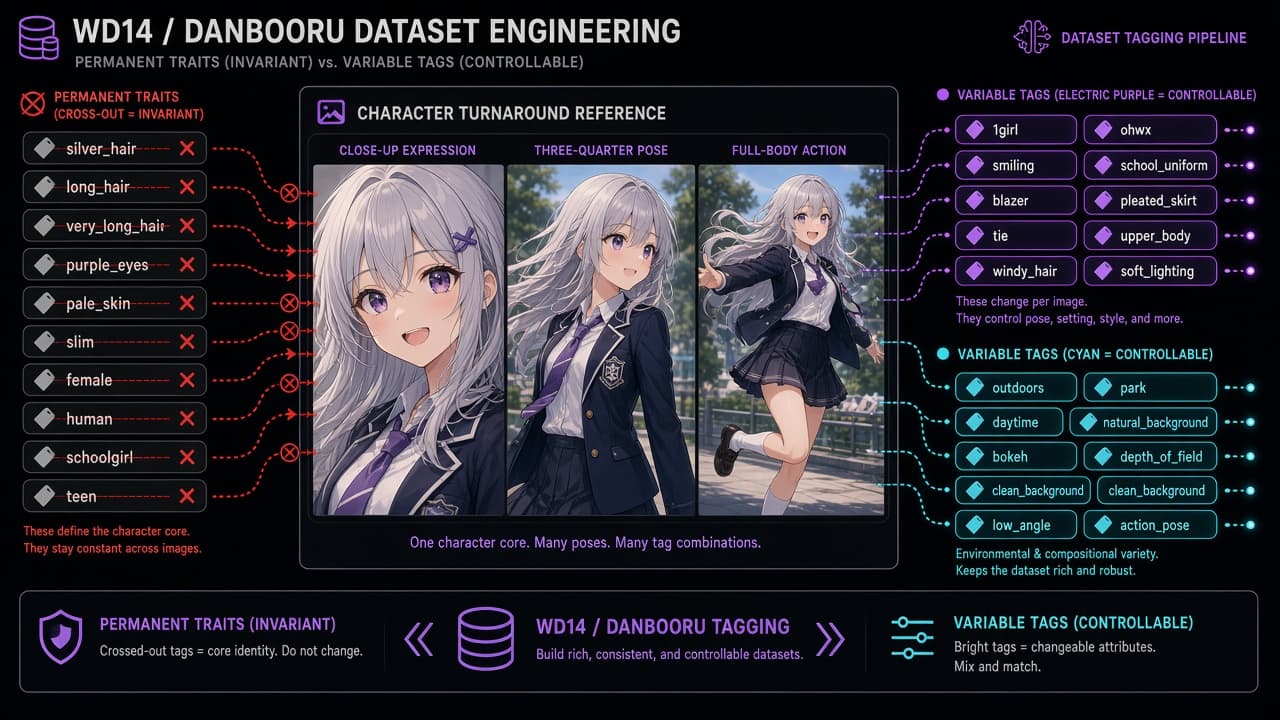
This guide covers which images to collect and how to clean them. Captioning is the next step and has its own rules: Pony and Illustrious are trained on Danbooru-style tags, so most character datasets for them are captioned with WD14-style taggers and then edited by hand. Our anime LoRA dataset tagging guide covers WD14 tagging, Danbooru conventions and score tags.
For prompting the finished LoRA, see the quality and rating tags in our Illustrious XL tags reference. Curation and tagging work together: a clean, on-model set makes the tags easier to write and the trained character easier to control.
Frequently asked questions
Are anime screenshots better than official art for a character LoRA?
For the core of the set, usually yes, because screenshots show the canonical design in the show style from many angles. Official art is a good, smaller supplement for detail.
Can I train an anime LoRA only on fan art?
You can, but expect a blended interpretation of many artists. Pick only on-model pieces and keep the artist styles as close as possible.
Should I remove subtitles or just crop them out?
Crop only when the text is well outside the character. If subtitles overlap the character, drop the frame instead of inpainting it.
Do anime screenshots need to be square for Pony or Illustrious training?
No. Crop around the character and let aspect ratio bucketing group images by shape, as long as each image still reaches your training resolution.