- LoRA
- LyCORIS
- LoCon
- LoHa
- LoKr
- DoRA
- Flux
- SDXL
- Kohya_ss
- AI-Toolkit
LoRA vs LoCon, LoHa, LoKr and DoRA Explained
LoRA vs LoCon, LoHa, LoKr and DoRA compared: which layers each adapter trains, file size, tool support, and which one to pick for Flux, SDXL or SD1.5.
What Are LoCon, LoHa, LoKr and DoRA?
All of these are adapter types: small sets of trainable weights that sit on top of a frozen base model and get added to its layers when you load the file. They differ in how they build that weight change and which layers they touch. Standard LoRA, from the 2021 paper by Hu et al., learns two thin low-rank matrices per targeted layer and multiplies them together.
LyCORIS, a project by KohakuBlueleaf that grew out of the original LoCon repository, bundles several alternatives under one library: LoCon (LoRA extended to convolution layers), LoHa (Hadamard product of two low-rank pairs), LoKr (Kronecker product), (IA)3, DyLoRA and full fine-tuning. DoRA, a 2024 NVIDIA and HKUST paper, is a different idea again: it splits each weight into a magnitude and a direction and uses LoRA only for the direction.
Rank and alpha still matter for every one of these types. If you are unsure what dim 16 or alpha 8 means, read LoRA network dim vs alpha explained first, because this guide assumes you know those two settings.
LoRA vs LoCon vs LoHa vs LoKr vs DoRA at a Glance
The table summarises how each adapter works and where it is supported. The fidelity and flexibility notes follow the comparison published in the LyCORIS README, which its authors say should be taken with a grain of salt; results depend on your dataset and settings.
| Adapter | How it builds the change | Layers it trains | Typical strength | Main tradeoff |
|---|---|---|---|---|
| LoRA | Two low-rank matrices multiplied (A x B) | Linear layers: attention and MLP | Best supported everywhere, easy to stack | Limited by rank on fine texture |
| LoCon | LoRA plus low-rank kernels on conv layers | Linear plus convolution layers | More texture and detail on UNet models | Bigger files, less benefit on Flux |
| LoHa | Hadamard product of two low-rank pairs | Linear and conv layers | Higher effective rank per parameter, good diversity | Slower conv training, more sensitive to settings |
| LoKr | Kronecker product controlled by a factor | Linear and conv layers | Very small files at high factor, high fidelity at low factor | High factor can be harder to combine or move to other bases |
| DoRA | Magnitude vector plus LoRA on direction | Same layers as the LoRA it wraps | Steadier learning, closer to full fine-tuning in the paper | Slower training, needs DoRA-aware loaders |
When Does LoCon Beat a Plain LoRA?
SD1.5 and SDXL use a UNet built from convolution blocks plus attention. Plain LoRA in kohya sd-scripts trains attention and linear layers, so the convolution parts that handle local texture stay frozen. LoCon adds low-rank adapters to those conv layers through conv_dim and conv_alpha, which is why art style, painterly texture and fabric pattern LoRAs on SDXL are where people most often report a gain.
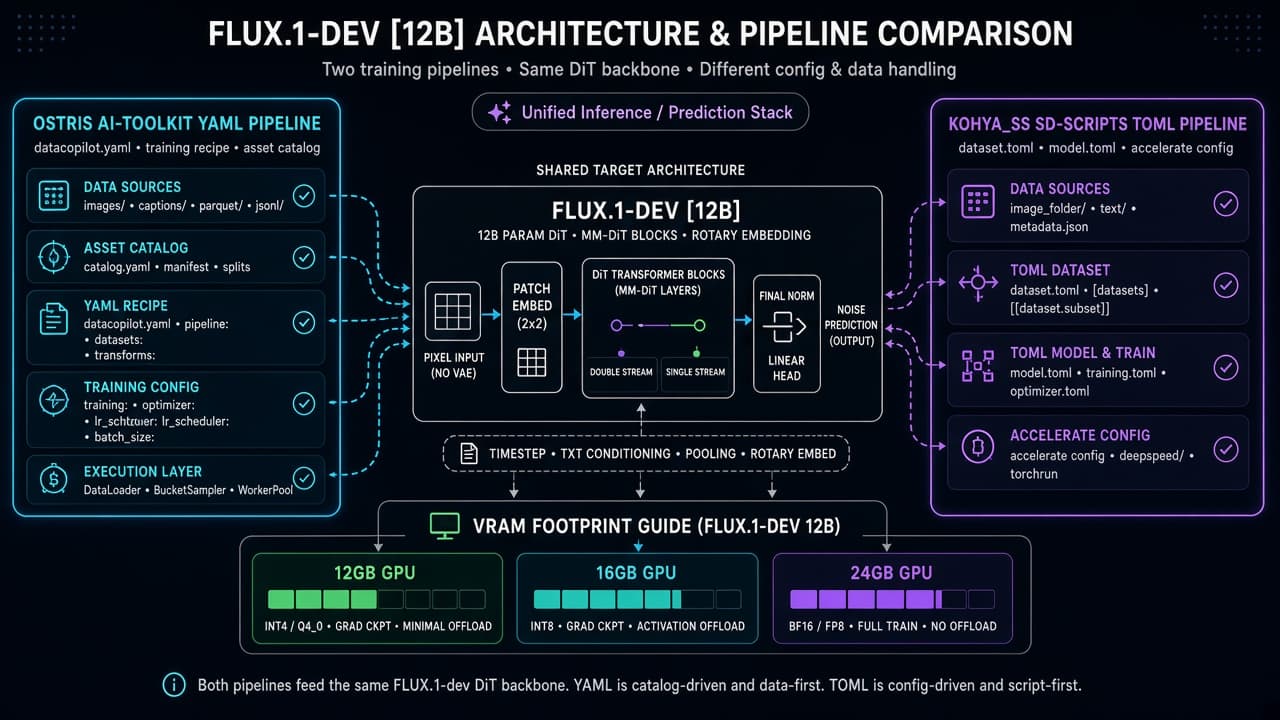
Flux.1 is a transformer, and almost all of its trainable weight is in linear layers. That means the convolution extension has little to attach to, and a well tuned standard LoRA usually covers Flux character and style training. For Flux setups, the practical choice is between plain LoRA and LoKr, which both Ostris AI-Toolkit and Kohya_ss can train.
- Try LoCon for SDXL, Pony or Illustrious style LoRAs where brush strokes or texture look smoothed out.
- Keep conv_dim at or below your linear dim at first, for example dim 16 and conv_dim 8.
- Skip LoCon for identity-only character LoRAs on Flux, where it rarely changes the result.
- Compare against a plain LoRA trained on the same dataset and seed before deciding.
LoHa and LoKr: More Capacity in a Smaller File
LoHa multiplies two low-rank pairs element by element, which gives a higher effective rank than a LoRA with the same parameter count. The LyCORIS authors rate it highest for diversity, meaning it tends to generate varied images instead of copying the training set, but it trains slower on convolution layers.
LoKr uses a Kronecker product, and its factor setting controls the size. LyCORIS describes a low factor (about 8 or less for SD1.x and SDXL) as giving high fidelity, and a high factor (16 or more) as producing very small files that may be harder to combine with other concepts or move to another base model. Ostris AI-Toolkit supports LoKr directly with network type lokr, plus lokr_full_rank and lokr_factor options, so it is the easiest route to a LyCORIS-style adapter on Flux.
What DoRA Changes and When to Use It
DoRA starts from the observation that full fine-tuning changes the length (magnitude) and the direction of weight vectors in different ways, while plain LoRA tends to move them together. It trains a separate magnitude vector and lets LoRA handle the direction. In the paper, DoRA consistently outperformed LoRA on the language and vision-language tasks tested, and once merged it adds no inference overhead.
For image LoRAs the evidence is mostly community reports rather than benchmarks, so treat DoRA as an option to test, not a guaranteed upgrade. Expect slower steps and somewhat more VRAM during training. You may also need a lower learning rate than your usual LoRA run; the LoRA learning rate guide explains how to sweep it.
In kohya sd-scripts, DoRA is enabled through the LyCORIS module with the dora_wd flag. In Hugging Face PEFT it is a single use_dora option on the LoRA config. Before you share a DoRA file, confirm the UI your audience uses can load it, since older loaders may ignore or reject the extra magnitude weights.
Which Adapter Should You Train? A Decision Table
Most failed LoRAs are dataset problems, not adapter problems. Switching from LoRA to LoKr will not fix blurry images, missing angles or inconsistent captions, so check your dataset before changing the network type. Use the table below as a starting point, then test one change at a time on a fixed seed.
| Goal | Base model | Start with | Try next if it falls short |
|---|---|---|---|
| Character or person likeness | Flux.1 | LoRA, dim 16 | LoKr low factor or higher rank |
| Character or person likeness | SDXL, Pony, Illustrious | LoRA, dim 16 to 32 | DoRA on the same dim |
| Art style or texture | SDXL, SD1.5 | LoCon, conv_dim 8 | LoHa |
| Product or object | Flux.1 or SDXL | LoRA, dim 16 | DoRA or LoCon on SDXL |
| Smallest file to share | Any | LoKr high factor | LoRA at lower rank |
| Stacking with other LoRAs | Any | LoRA | Avoid high factor LoKr |
Loading LyCORIS and DoRA Files, and the Next Step
ComfyUI loads LoCon, LoHa and LoKr files with the same LoRA loader node, and AUTOMATIC1111 has supported LyCORIS models in its built-in LoRA system since version 1.5.0. Strength and stacking work the same way as with a plain LoRA, as covered in how to use a LoRA in ComfyUI and Forge.
Whatever adapter you choose, it can only learn what the dataset shows. A varied, consistently captioned set of 15 to 30 images gives every network type a fair test. You can build that set from a single reference in the LoRA Dataset Studio dashboard, then train a plain LoRA first and switch adapters only if the comparison shows a clear gain.
Frequently asked questions
Is LyCORIS better than LoRA?
Not by default. LyCORIS is a library of adapter types, including LoCon, LoHa and LoKr, that trade file size, fidelity and flexibility differently. For most character and product LoRAs a standard LoRA works as well and is better supported. LyCORIS types are worth testing for texture-heavy styles or very small files.
Does LoCon work on Flux?
It can be trained, but Flux.1 is a transformer whose trainable weights are mostly linear layers, so the convolution extension that defines LoCon has little to act on. On Flux, a standard LoRA or a LoKr is the usual choice. LoCon is most useful on UNet models such as SD1.5 and SDXL.
What is DoRA in Stable Diffusion training?
DoRA, weight-decomposed low-rank adaptation, splits each weight into magnitude and direction, trains the magnitude directly and uses LoRA for the direction. In kohya sd-scripts it is enabled with the LyCORIS module and dora_wd=True. It trains slower and needs a loader that understands DoRA weights.
Can I use a LoKr or LoHa file in ComfyUI?
Yes. The ComfyUI examples state that LyCORIS formats such as LoHa, LoKr and LoCon load with the same LoRA loader node as a regular LoRA, and AUTOMATIC1111 supports them in its built-in LoRA system from version 1.5.0.
Will switching to LoKr or DoRA fix a bad LoRA?
Rarely. Identity drift, overfitting and artifacts usually come from the dataset, captions, learning rate or step count. Fix those first, then compare adapter types on the same dataset and seed. A new network type changes capacity, not the quality of what the model sees.
Sources and further reading
- LyCORIS by KohakuBlueleaf: README and algorithm overview (GitHub)
- Liu et al., DoRA: Weight-Decomposed Low-Rank Adaptation (arXiv 2402.09353)
- Hu et al., LoRA: Low-Rank Adaptation of Large Language Models (arXiv 2106.09685)
- Ostris AI-Toolkit README: LoKr training
- kohya-ss/sd-scripts issue 1127: DoRA support via LyCORIS
- Hugging Face PEFT docs: LoRA variants including DoRA
- ComfyUI examples: LoRA and LyCORIS loading