- Flux
- SDXL
- LoRA training
- Kohya_ss
- AI-Toolkit
- ComfyUI
- Troubleshooting
Flux and SDXL LoRA Training Errors: Fix OOM, NaN Loss, Black Images
Fix the LoRA training errors Flux and SDXL users hit most: CUDA out of memory, NaN loss, black samples, lora key not loaded and norm_final.weight warnings.
Why Flux and SDXL LoRA Training Fails
Almost every failed LoRA run falls into one of four buckets: the GPU runs out of memory, the math overflows and the loss turns into NaN, the samples come out black or noisy, or the finished LoRA does nothing because it does not match the model you load it into. Each bucket has a different cause, so read the first error in the console before changing settings at random.
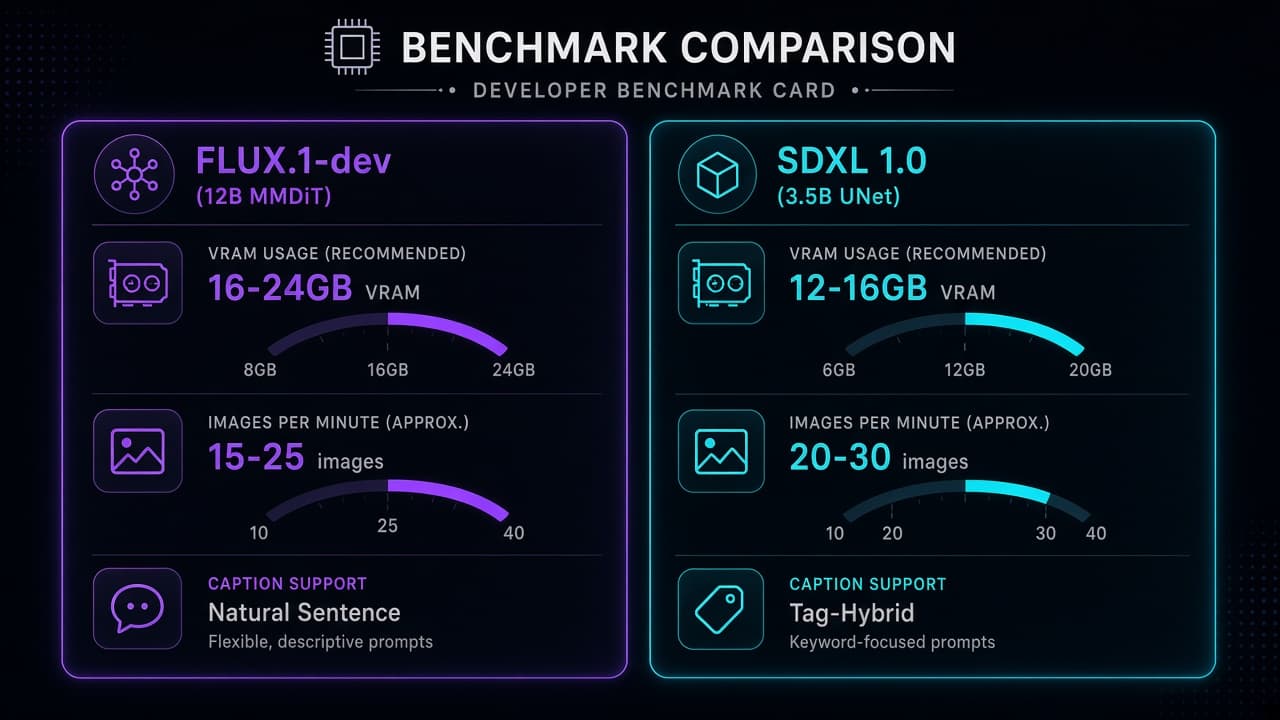
Flux is a 12B parameter transformer and SDXL is a much smaller UNet with a VAE that is unstable in fp16, so they fail in different ways. Flux mostly fails on memory. SDXL mostly fails on precision. If you are still choosing a base model, compare them first in our Flux vs SDXL LoRA training guide.
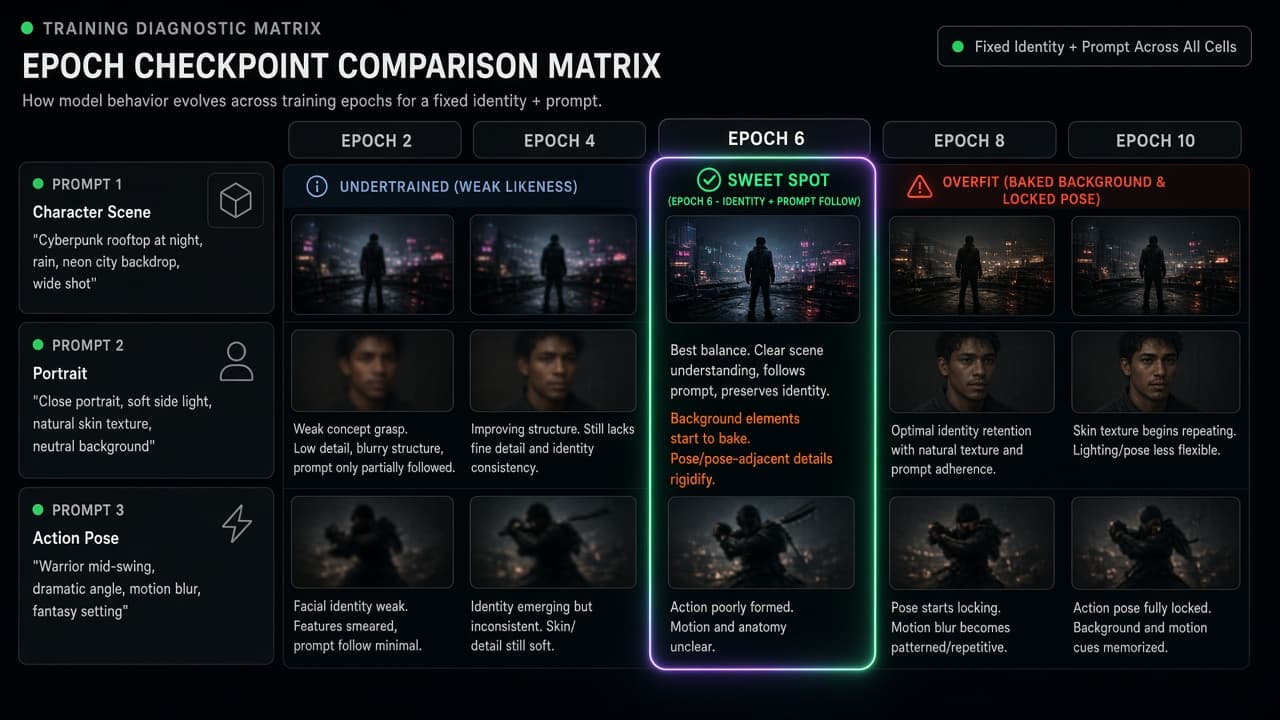
This guide covers trainer errors and warnings, not quality problems. If training finishes but the LoRA looks burned or weak, that is a step count or learning rate issue covered in LoRA overfitting vs undertraining.
LoRA Training Errors and Fixes at a Glance
Find your symptom in the left column. The fixes reference Kohya sd-scripts flags and Ostris AI-Toolkit config keys, the two trainers most Flux and SDXL users run.
| Error or symptom | Where it appears | Most likely cause | Fix |
|---|---|---|---|
| CUDA out of memory | Kohya, AI-Toolkit | Full precision base model, batch too large, no checkpointing | fp8_base or quantize, batch 1, gradient checkpointing, cache latents, blocks_to_swap |
| avr_loss shows nan | Kohya SDXL | SDXL VAE overflowing in fp16, or learning rate too high | Use bf16 or --no_half_vae, lower the learning rate |
| Black or noise-only samples | SDXL training or inference | VAE decoding in fp16 | --no_half_vae or the SDXL-VAE-FP16-Fix VAE |
| Flux samples look wrong from the start | AI-Toolkit Flux | Training dtype other than bf16 | Set dtype to bf16 if the GPU supports it |
| Old guide uses --split_mode | Kohya Flux | Deprecated argument | Use --blocks_to_swap instead |
| Cannot combine block swap and CPU offload | Kohya Flux | Incompatible flags | Pick blocks_to_swap or cpu_offload_checkpointing, not both |
| flip_aug or color_aug has no effect | Kohya | Latent caching turns augmentation off | Disable cache_latents or drop the augmentation |
| Hundreds of lora key not loaded lines | ComfyUI | LoRA trained for a different base model | Load it with the base family it was trained on |
| unet missing norm_final.weight | ComfyUI with Z-Image | Loader notice for Z-Image weights | Harmless, images still generate |
Change one thing at a time
Fix CUDA Out of Memory on Flux and SDXL
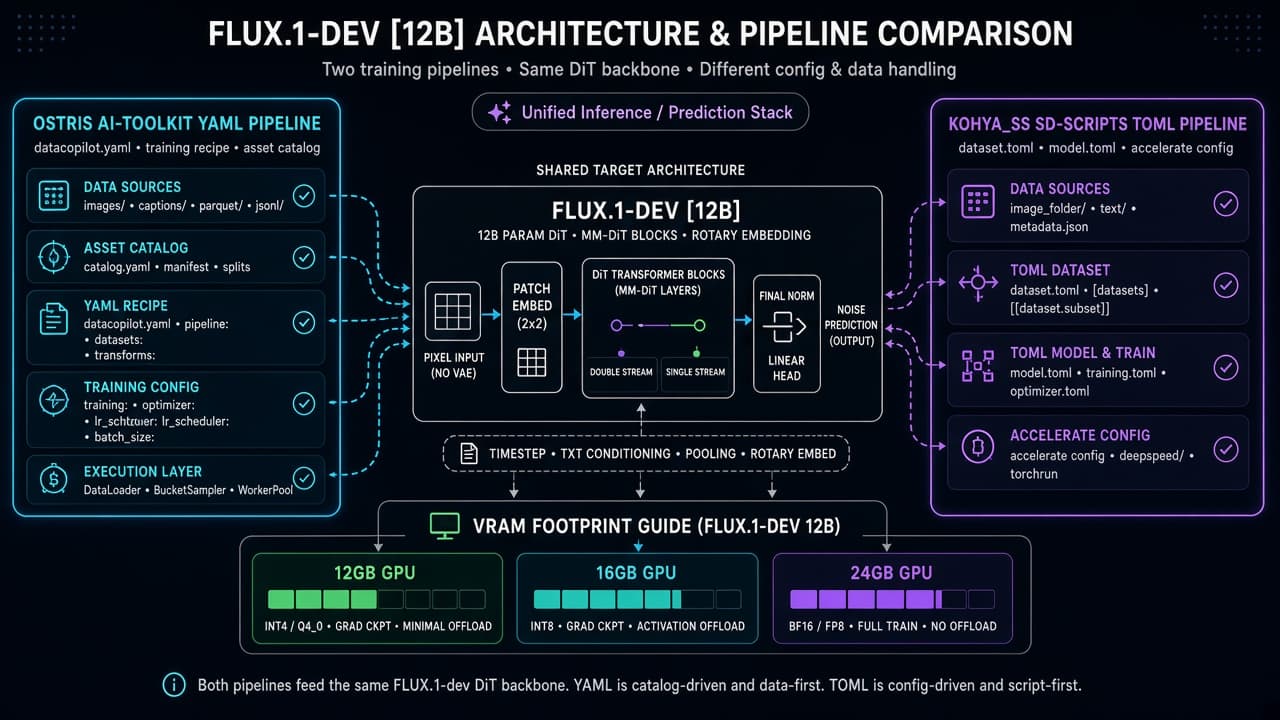
Out of memory is the most common Flux failure. The Kohya sd-scripts Flux documentation lists a VRAM ladder with --fp8_base enabled: 24 GB works with basic settings at batch size 2, 16 GB needs batch size 1 plus --blocks_to_swap, 12 GB needs --blocks_to_swap 16 and 8-bit AdamW, 10 GB needs --blocks_to_swap 22 with an fp8 T5XXL, and 8 GB needs --blocks_to_swap 28 with an fp8 T5XXL.
Block swapping moves transformer blocks between CPU and GPU. Flux supports up to 35 swapped blocks, and every extra block saves VRAM but slows each step. Caching text encoder outputs and latents removes CLIP-L, T5-XXL and the VAE from the training loop, which saves a large share of memory on any card.
In Ostris AI-Toolkit, the official Flux 24 GB example config already uses quantize true for 8-bit mixed precision, gradient checkpointing, batch size 1 and AdamW8bit. If your GPU also drives your monitors, uncomment low_vram, which uses less VRAM while quantizing at the cost of speed. For trainer differences see AI-Toolkit vs Kohya_ss for Flux.
# Kohya sd-scripts, Flux LoRA on a 12 GB card
accelerate launch flux_train_network.py \
  --fp8_base \
  --mixed_precision bf16 \
  --gradient_checkpointing \
  --cache_latents --cache_latents_to_disk \
  --cache_text_encoder_outputs \
  --blocks_to_swap 16 \
  --optimizer_type AdamW8bit \
--train_batch_size 1- 01
Drop batch size to 1
Batch size multiplies activation memory, so start at 1 and raise it only after a stable run. - 02
Turn on fp8 or quantization
Use --fp8_base in Kohya or quantize true in AI-Toolkit for Flux. - 03
Enable gradient checkpointing and caching
Cache latents and text encoder outputs so the VAE and text encoders leave the GPU. - 04
Add block swapping last
Raise --blocks_to_swap step by step until the run fits, accepting slower steps.
Fix NaN Loss and Black Samples
On SDXL, NaN loss and black images usually come from the VAE. The SDXL VAE produces NaNs in fp16 because its internal activation values are too large. The Kohya SDXL documentation says to run the VAE in float32 with --no_half_vae whenever you train with fp16 mixed precision.
There are three clean fixes. Train with bf16 mixed precision if your GPU supports it, which on NVIDIA means RTX 30 series and newer. Keep fp16 and add --no_half_vae. Or swap in the madebyollin SDXL-VAE-FP16-Fix VAE, which was fine-tuned to keep the same output while keeping activations small enough for fp16.
If the VAE is already safe and the loss still climbs to NaN, the learning rate is too high or the optimizer settings are unstable. Halve the learning rate, and if you use Prodigy, check the settings in Prodigy vs AdamW8bit. Starting values by model are in our LoRA learning rate guide.
On Flux, the AI-Toolkit example config notes that bf16 is likely needed and other dtypes may not work correctly. If Flux samples look broken from the first preview, check the dtype before you touch the dataset.
| Setup | Mixed precision | VAE setting | NaN risk |
|---|---|---|---|
| SDXL on RTX 30 series or newer | bf16 | Default | Low |
| SDXL on an older GPU | fp16 | --no_half_vae | Low |
| SDXL with fp16 and stock VAE | fp16 | Half precision VAE | High |
| SDXL with fp16-fix VAE | fp16 | SDXL-VAE-FP16-Fix | Low |
| Flux in AI-Toolkit | bf16 | Default | Low |
Warnings After Training: lora key not loaded and norm_final.weight
A finished LoRA can still look like a failure in ComfyUI. When ComfyUI applies a LoRA it matches the tensor names inside the file to layers in the loaded model, and every name that has no match prints a lora key not loaded line. A few lines can be normal. Hundreds mean the LoRA was trained on a different family, such as an SDXL LoRA on Flux or a Flux.1 LoRA on Flux.2, and it is doing almost nothing.
The console line unet missing norm_final.weight is a different case. It is printed when loading Z-Image weights in ComfyUI, and users on the Comfy-Org Z-Image Turbo model page report that images still generate correctly. It does not mean your Flux or SDXL LoRA is broken.
If Z-Image produces black images, the ComfyUI maintainer response on GitHub was to remove the --fast fp16_accumulation launch option, which fixed it for the reporter. For Flux LoRAs, use a model-only LoRA loader, since most Flux LoRAs do not train the text encoder.
Check the base model first
Errors That Start in the Dataset
Some failures look like trainer bugs but come from the images. Mixed resolutions without bucketing waste memory and crop subjects, so set buckets as shown in our aspect ratio bucketing guide. Missing or mismatched caption files make the trigger word weak, which is covered in the LoRA captioning guide.
A wrong folder name in Kohya, such as a missing repeat count, makes the trainer find zero images or the wrong step count. Check the layout in the Kohya dataset folder structure guide.
Clean inputs prevent most of these problems. The LoRA Dataset studio builds a consistent, captioned image set from one reference that loads straight into Kohya or AI-Toolkit.
Frequently asked questions
How do I fix CUDA out of memory when training a Flux LoRA?
Use batch size 1, --fp8_base in Kohya or quantize true in AI-Toolkit, gradient checkpointing, cached latents and text encoder outputs, then add --blocks_to_swap until it fits. Kohya documents 12 GB working with 16 swapped blocks and 8-bit AdamW.
Why is my SDXL LoRA loss NaN?
Usually the SDXL VAE overflowed in fp16. Train in bf16 if your GPU supports it, add --no_half_vae, or use the SDXL-VAE-FP16-Fix VAE. If the loss still diverges, lower the learning rate.
Why are my LoRA training samples black?
On SDXL, black samples almost always mean the VAE decoded in fp16 and produced NaNs. Run the VAE in float32 or use the fp16-fix VAE. On Flux, check that the training dtype is bf16.
What does lora key not loaded mean in ComfyUI?
The LoRA contains layer names the loaded model does not have. A handful is normal, but hundreds mean the LoRA was trained for another base model family and will have little effect.
Is unet missing norm_final.weight an error?
No. It is a loader notice printed for Z-Image weights in ComfyUI, and users report images still generate correctly. It is not related to Flux or SDXL LoRA training.
Sources and further reading
- kohya-ss/sd-scripts, FLUX.1 LoRA training documentation (VRAM optimization)
- kohya-ss/sd-scripts, SDXL LoRA training documentation (--no_half_vae)
- madebyollin/sdxl-vae-fp16-fix model card (Hugging Face)
- ostris/ai-toolkit example config train_lora_flux_24gb.yaml
- Comfy-Org/ComfyUI issue 11068, Z-Image fp8-scaled and fp16 accumulation
- Comfy-Org/z_image_turbo discussion, unet missing norm_final.weight